Open a web page and you are hovering over Cape Town. The buildings are real, photographed from aircraft and turned into 3D. Push forward and the city slides under you. Climb and the haze thickens into a blue rim, the sky goes black and the stars come out. Press one button and you are flown 380,000 km to the Moon and set down on its surface, with Earth hanging above the horizon. Press it again and you are standing in a crater on Mars under a butterscotch sky.
This guide explains how that works: all of it, from the ground up. Planet Explorer is a sample program for the Taos Engine, a WebGPU game engine written in TypeScript. It is about 8,000 lines on top of the engine. Nothing here needs a graphics background. When a piece of math matters we will build it up from scratch, and wherever a picture or a slider can explain something faster than prose, there is one you can play with.
Precision
Planet-sized coordinates break 32-bit floats. Fix that first.
Streaming
Pull just the right detail of a whole planet over the network.
Rendering
Sun, shadows and materials for millions of triangles.
The sky
Atmosphere, haze, clouds, stars, from the ground to orbit.
Performance
All of it in under 6 ms of GPU time a frame.
Before any pixels: what the program does, and the numbers it has to survive
A planet is enormous and a city block is small. Any program that shows both at once has to handle that range in its numbers before it can draw anything.
What you are looking at
Planet Explorer is a sample: a single program that shows off what the engine can do. It runs in any browser with WebGPU, the modern API that lets a web page drive the graphics card directly, much as a desktop game would. From the user's side it offers:
- The real Earth. The default dataset is Google's Photorealistic 3D Tiles: whole cities rebuilt in 3D from aerial photographs. Other datasets are Cesium World Terrain (bare ground plus satellite imagery), OpenStreetMap buildings, or any 3D Tiles dataset you point it at.
- The Moon and Mars, streamed the same way, with a rocket button that flies you between all three bodies in about 12 seconds.
- 33 bookmarked places: 23 on Earth (New York, Everest, Machu Picchu, Cape Town…), 5 on the Moon (Apollo 11 and 17, Tycho, Copernicus, an Earthrise view) and 5 on Mars (Jezero, Gale, Valles Marineris, Olympus Mons, Hellas). You can also search for any address.
- A full sky: an atmosphere that scatters sunlight, distance haze, volumetric clouds, a real star catalog, the Milky Way, optional aurora and a time-of-day slider.
- Live data: up to 16,000 tracked satellites placed with the same orbital model used by real tracking sites, the International Space Station as a 3D model, sea-surface temperature, and clickable building metadata.
- Graphics extras: sun shadows, ambient occlusion, six anti-aliasing modes, motion blur, depth of field, lens flare, bloom, auto exposure.
All of this runs at roughly 130–145 frames per second over the default New York view on a desktop GPU, using about 5.4 ms of GPU time per frame. Part VII explains where those milliseconds go.
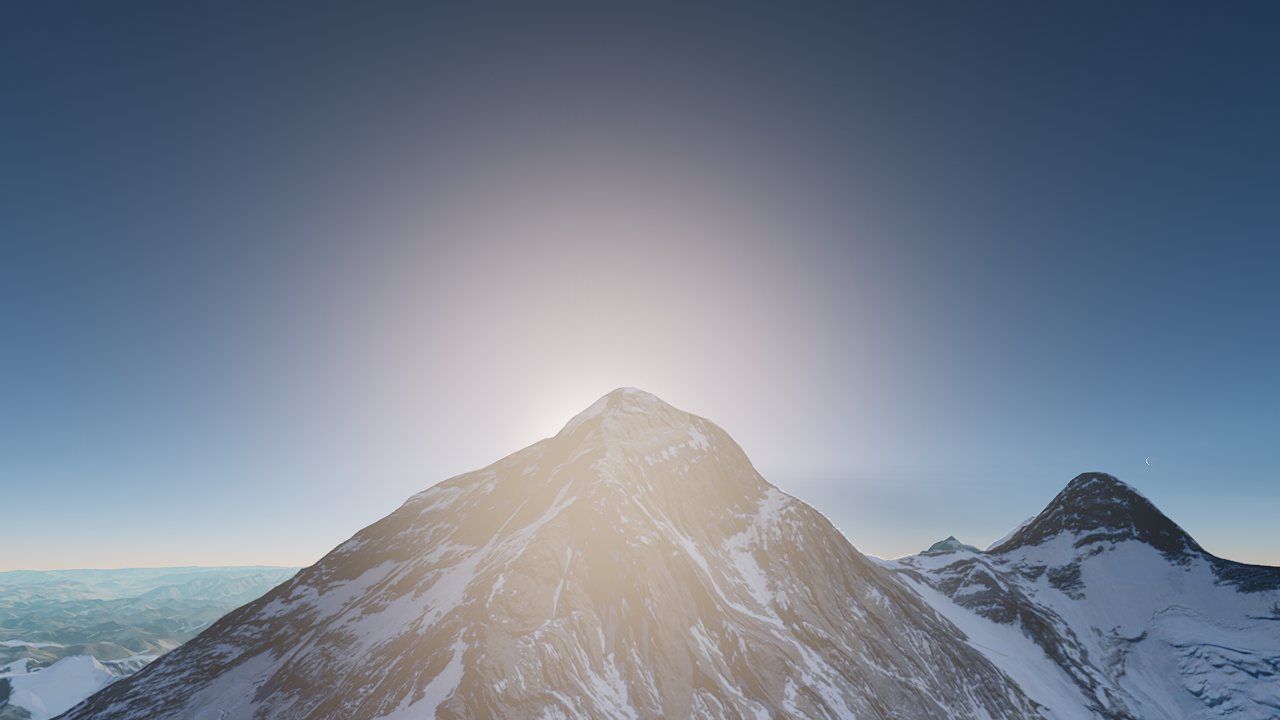 Everest, sunrise
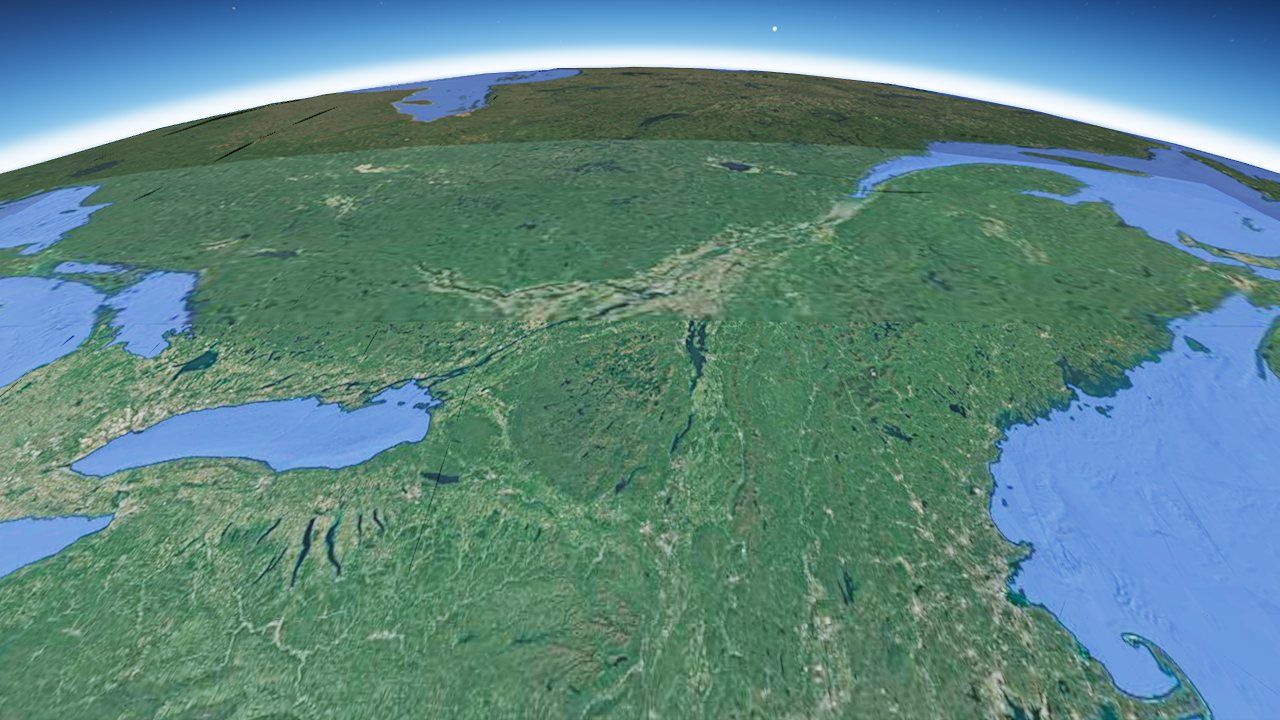 400 km up, the ISS's altitude
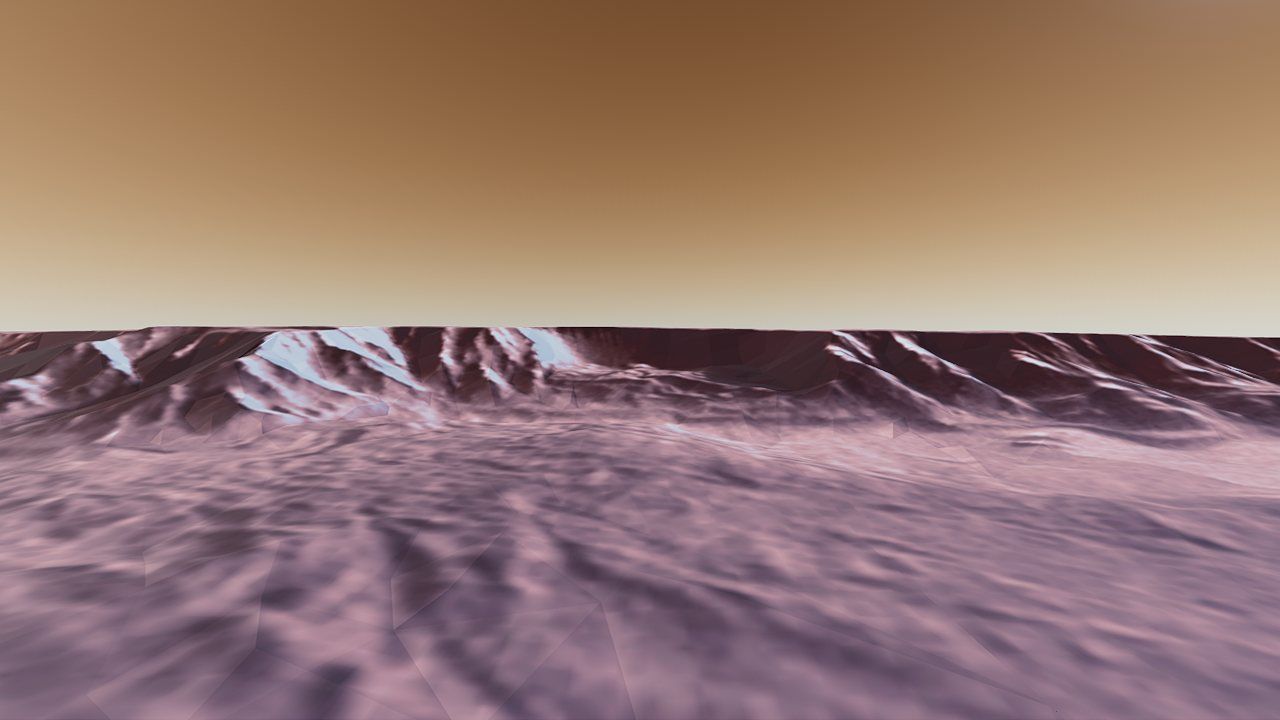 Valles Marineris, Mars
The shape of one frame
Everything the program does happens inside a loop that runs once per displayed frame, 100+ times per second. Here is that loop in the order it actually runs. Each item gets its own section later.
- Move the camera. Read the keyboard, mouse, touch, or an in-progress rocket flight. Keep "up" pointing away from whichever planet you are near.
- Keep the numbers small. If the camera has drifted more than 10 km from the current origin, move the origin to the camera (the floating origin).
- Decide which world you're on. Earth, Moon or Mars, whichever surface is nearest. That body gets streamed tiles; the others are drawn as painted spheres.
- Choose the tiles. Walk the planet's tile tree and pick the coarsest pieces that still look sharp from here. Ask the network for the ones that aren't loaded yet.
- Update the sky. Feed the sun position, camera altitude and planet size to the atmosphere, clouds and stars.
- Render. Assemble about 25 rendering stages into a graph and hand the whole frame to the GPU in one submission.
- Network housekeeping. Start the most urgent downloads, cancel ones the camera no longer needs, and evict old tiles if memory is over budget.
Why big numbers break a renderer
Computers store most decimal numbers as floating point: a fixed number of significant digits plus an exponent, like scientific notation in base two. JavaScript uses 64-bit "doubles", with about 16 significant decimal digits. GPUs, however, work almost entirely in 32-bit floats, which have a 24-bit significand: about 7 significant digits.
Seven digits sounds like plenty until you measure the Earth. The planet's radius is 6,378,137 meters, already seven digits. If a building's corner is stored as its distance from the center of the Earth, there are no digits left over for anything smaller than about half a meter. Every vertex snaps to a half-meter grid. Worse, the grid point a vertex rounds to depends on the camera's exact position, so when the camera moves the whole city shakes.
The gap between one representable float and the next is called a ULP (unit in the last place). For a 32-bit float near a value x it is:
- xthe magnitude being stored (here, meters)
- 23the stored significand bits (24 with the hidden leading 1)
| Magnitude | Example | 32-bit step |
|---|---|---|
| 10 m | across a room | ≈ 1 µm |
| 10 km | the floating-origin limit used here | ≈ 1 mm |
| 6,378 km | a point on Earth, measured from its center | 0.5 m |
| 78,000 km | a distant body in floating-origin space | 8 m |
| 383,000 km | the Moon's distance | 32 m |
The fix used everywhere in Planet Explorer has two halves:
- Do geography in 64 bits. All planet math (positions, frames, tile bounds, the camera's true location) stays in JavaScript doubles on the CPU. With 16 significant digits, 6,378,137.000 000 1 m is no problem.
- Only hand the GPU small numbers. Just before anything reaches the GPU, positions are re-expressed relative to a point near the camera, so they are a few kilometers at most. At that size a 32-bit float is accurate to about a millimeter.
The rest of Part I shows how those two rules shape the coordinate systems and the camera.
Latitude, longitude, and the Earth-centered box
Maps describe a place by longitude (degrees east of Greenwich), latitude (degrees north of the equator) and height. That is great for people, but you can't add two latitudes or measure a straight line with them. For 3D math the program converts to ECEF, Earth-Centered, Earth-Fixed: ordinary x, y, z meters with the origin at the planet's center, +Z through the North Pole, and +X through the point where the equator meets the Greenwich meridian. It is fixed to the Earth, so it spins with it.
One catch: the Earth isn't a sphere. Its spin flattens it, so the equatorial radius is 6,378,137 m and the polar radius only 6,356,752 m, about 21 km less. The standard description of that shape is the WGS84 ellipsoid, the same one GPS uses. On an ellipsoid "straight down" (perpendicular to the surface) does not point at the center. Latitude is defined by that perpendicular, so the conversion to ECEF has to account for the flattening.
- φ, λ, hlatitude, longitude, height above the ellipsoid
- aequatorial radius, 6,378,137 m (WGS84)
- e²eccentricity squared, f(2−f) ≈ 0.006694 with flattening f = 1/298.257223563
- Ndistance along the normal from the surface to the polar axis (the "prime vertical radius")
The function is written for any ellipsoid with radii a and b, so the same code serves all three bodies. The Moon is a sphere (a = b = 1,737,400 m, so e² = 0 and it reduces to ordinary spherical coordinates). Mars is flattened like Earth: 3,396,190 m at the equator and 3,376,200 m at the poles. Part VI tells what happened when Mars was first treated as a sphere.
export function geodeticToEcef(lon: number, lat: number, height: number,
                               a = WGS84_A, b = WGS84_B): Vec3d {
  const sinLat = Math.sin(lat), cosLat = Math.cos(lat);
  const e2 = (a * a - b * b) / (a * a);
  const n = a / Math.sqrt(1.0 - e2 * sinLat * sinLat);
  return {
    x: (n + height) * cosLat * Math.cos(lon),
    y: (n + height) * cosLat * Math.sin(lon),
    z: (n * (1.0 - e2) + height) * sinLat,
  };
}
Going back: ECEF → latitude, longitude, height
The reverse direction has no exact simple formula, because the height and the latitude depend on each other. The engine uses Bowring's method, a closed-form approximation that is accurate to well under a millimeter for any point near the surface and needs no iteration. It first computes a "reduced" latitude θ = atan2(z·a, r·b), with r = √(x²+y²), then the true latitude from it.
The textbook height formula is h = r / cosφ − N. Directly over a pole, r and cosφ are both zero, and the ratio collapses. A camera hovering over the North Pole would read its height as about −6,400 km. Everything that depends on altitude (the far plane, fly speed, level of detail) would behave as if it were deep inside the planet. The engine uses an equivalent form with no division, h = r cosφ + z sinφ − a√(1 − e² sin²φ), which is well behaved everywhere.
A local frame: east, north, up
ECEF is perfect for geography and terrible for a camera. At New York, "up" in ECEF is a diagonal mix of x, y and z. So the program also builds a local tangent frame at a chosen point: east, north and up (ENU), with up along the ellipsoid normal. The engine's own convention is Y-up and the camera looks down −Z, so the mapping is X = east, Y = up, Z = −north. Looking down −Z means looking north.
const east  = { x: -sinLon,          y:  cosLon,          z: 0 };
const north = { x: -sinLat * cosLon, y: -sinLat * sinLon, z: cosLat };
const up    = { x:  cosLat * cosLon, y:  cosLat * sinLon, z: sinLat };
// rotation rows = [east; up; −north], then move the origin to the anchor point
const worldFromEcef = mat4dMul(rot, mat4dTranslation(-origin.x, -origin.y, -origin.z));
That 4×4 matrix (kept in 64-bit Float64Arrays) is the bridge between geography
and the engine. Multiply an ECEF point by it and you get engine "world" coordinates: small
numbers, meters east, up and south of the anchor. The class that owns it is called
GeoFrame.
The floating origin
A GeoFrame anchored at the start location keeps nearby coordinates small. But
you can fly. Ten kilometers away the world coordinates are already 10,000, and at 1,000 km they
are back to the jittery range. The answer is to move the anchor. Every frame
the program checks how far the camera is from the world origin. When it passes
REANCHOR_DIST = 10_000 meters, the origin jumps to the camera, and the camera
lands back at (0, 0, 0).
The clever part is what doesn't happen. Thousands of tiles are already sitting on the
GPU with their vertices baked relative to the old origin. Re-uploading them would take far too
long. Instead, each tile remembers which origin it was baked against
(bakeOriginEcef). When the origin moves, the program only adds a small
translation to each tile's model matrix at draw time:
- pa vertex's true ECEF position (64-bit, never sent to the GPU)
- O, O′the old and the new origin
- Rthe east/up/−north rotation, kept fixed so the shift is a pure translation
So a re-anchor costs one 64-bit matrix–vector product and one addition per tile per frame,
and the vertex data never moves. There is an allocation-free version of
worldFromEcefPoint specifically for this hot loop.
Two details keep the jump invisible:
- Temporal effects are told about it. Anti-aliasing (TAA) and motion blur
compare each pixel with where it was last frame. A 10 km jump of the whole world would look
like violent motion and smear the frame gray, most visibly over the dark Moon. The camera's
notifyOriginShiftfolds the jump into the previous frame's matrices so the effects see no motion. - "Up" is frozen. By default the east/north/up axes are not re-derived at the new origin, only the translation moves. That makes the shift exact. The cost is that the world's +Y drifts away from true local up as you travel: 100 km from the anchor it is tilted by 100/6378 rad ≈ 0.9°. An optional RTC reorient mode re-derives the axes on each jump (a fraction of a degree each time) and counter-rotates the camera to hide it. For everyday flying the camera simply compensates, as the next section shows.
Teleporting to a new place builds a completely new frame at the destination. That is the one time content is re-baked.
A camera that knows which way is up
A normal first-person camera assumes up is +Y. On a planet, up is "away from the center", and because the world axes are frozen, that direction slowly rotates as you fly. In deep space there is no up at all. Planet Explorer handles both with one rule. Every frame it measures the direction from the active planet's center to the camera (the radial direction), then turns the camera's up vector part of the way toward it:
- Rradius of the body you're near: fully locked below 32 km on Earth (8.7 km on the Moon), fully free above 319 km (87 km on the Moon)
- slerprotate along the shortest arc between two directions
Near the ground the horizon is always level and W/A/S/D move you along the surface. In space,
lock reaches zero and up stops being corrected, so you fly freely in six directions with no
sudden snap at the boundary. Because the correction happens a fraction at a time each frame,
descending from orbit re-levels the horizon smoothly. The camera's orientation itself is
built as tilt · yaw · pitch, where tilt is the shortest rotation from
+Y to the current up. Yaw and pitch are separate angles, so roll can never creep in.
Near plane, far plane, and how fast to move
A 3D camera only draws between a near and a far distance. Make the range too small and you clip away the world; too large and you waste depth precision (Part VI explains why). Planet Explorer recomputes both every frame from your altitude, using the exact distance to the horizon. The usual shortcut √(2Rh) is fine near the ground but badly wrong from orbit: at 25,000 km it says 17,900 km when the true answer is 30,700 km. A far plane sized that way would cut off the whole planet.
- rground radius directly below the camera (ellipsoid-correct)
- hcamera altitude above that ground
Places, links and shortcuts
Each bookmarked place is just a name, a longitude and latitude, a height, and an optional camera preset in local meters. The presets were captured in the program itself: pressing P re-expresses the current camera in a fresh frame directly below it and copies a ready-to-paste line of code. Three URL parameters make any view reproducible, which turned out to be essential for comparing quality and performance fairly:
- ?place=Nboot directly at bookmark N (23 is the Earthrise on the Moon, 28 is Jezero crater on Mars)
- ?alt=400000park the camera that many meters straight above the place, looking down at it
- ?time=17.5pin the time of day and stop the clock, so two page loads have identical lighting
A whole planet, one screenful at a time
Google's photoreal Earth runs to many terabytes. You can't download it, and you don't need to: at any moment you only need the pieces in view, each at just enough detail. This part covers where those pieces come from and how the program decides which to fetch.
Cesium ion, Google, and four other worlds
All the planetary data reaches Planet Explorer through Cesium ion, a hosting service for 3D geospatial data. Each dataset on ion has a numeric asset id. The program asks ion where an asset lives, and ion replies with a URL, a short-lived access token and the attribution text that must be shown on screen. After that the program downloads tiles directly from wherever ion pointed.
| Dataset | ion id | What it is | Format |
|---|---|---|---|
| Google Photorealistic 3D Tiles (default) | 2275207 | Textured meshes of the whole globe, rebuilt from aerial photography; cities in full 3D. | 3D Tiles 1.1, glTF |
| Cesium OSM Buildings | 96188 | OpenStreetMap building footprints extruded to their heights, with per-building metadata you can click. | b3dm + batch tables |
| Cesium World Terrain | 1 | Global elevation with a water mask; satellite imagery is draped on top by the program. | quantized-mesh |
| Cesium Moon Terrain | 2684829 | The whole Moon, centered on the Moon, radius 1,737,400 m. | 3D Tiles, glTF |
| Cesium Mars | 3644333 | MOLA and HRSC elevation with a Viking color mosaic, on Mars's own ellipsoid. | 3D Tiles, glTF |
| Custom | any | Any other ion asset id, or a plain tileset.json URL. | any 3D Tiles |
Google through ion
The Google dataset is external: ion's reply carries Google's own URL with an API key
already in it, instead of an ion token. Google's root file then hands back child links that
carry a session= parameter. Every child link has to keep both key
and session, so the URL resolver copies any query parameter of the parent that
the child doesn't set itself. That carries both values down the whole tree.
Google also requires on-screen credit for the imagery owners. Each tile's glTF carries an
asset.copyright string. Every frame the tileset collects the strings of the tiles
it actually drew, splits them on ;, removes duplicates and sorts them. The
attribution bar only repaints when that list changes, which is a cheap check because the
array object is reused while nothing changes.
A disk cache that survives reloads
Re-downloading the same city on every visit would be slow and expensive, but standard HTTP
caching doesn't help here. Google's responses say Cache-Control: no-store, and the
session token changes the URL on every visit. So the engine keeps its own cache with the
browser's Cache Storage API (geo-tiles-v1). The cache key is the
URL with the volatile session and key parameters removed, and the
stored copy is a clean response with only a content type. A second visit to New York loads
mostly from disk. Press L in the sample to watch the data-source log: every
request, its size, and whether it came from the network or the cache.
3D Tiles: a tree of detail
3D Tiles is an open standard for streaming huge 3D datasets. A dataset is a
tree. The root covers everything at very low detail. Each child covers part of its
parent's area at higher detail, and so on down to the finest leaves. A small JSON file,
tileset.json, describes the tree. Each tile in it has:
- boundingVolumethe space the tile occupies: an oriented box, a sphere, or a geographic region (longitude, latitude and height ranges)
- geometricErrorhow wrong, in meters, the tile's shape is compared with the real thing. The root of Google's Earth might be off by kilometers; a leaf by a few centimeters.
- refine
REPLACE: children replace the parent when shown.ADD: children are drawn on top of the parent. - contentthe actual mesh file, or a link to another
whole
tileset.json(an external tileset, loaded only when reached) - childrenthe finer tiles
The program reads the content type from the first four bytes of each file (its "magic"):
glTF for Google and the Moon and Mars, b3dm for OSM buildings
(a header and a feature table wrapped around glTF), pnts for point clouds,
i3dm for instanced models, and cmpt for a composite of several.
Newer datasets can use implicit tiling: a regular quad-tree or octree described
by a formula and an availability bitmap instead of listing every tile. That is supported too.
Google's tree is enormous and most of it is never visited. So when a sub-tree is parsed the engine stores each tile's raw JSON bounds and link, but defers the math. Converting a region into an oriented box (8 corners, each converted from geodetic to ECEF) and resolving the URL against its parent both happen the first time traversal actually reaches the tile. Parsing a large external tileset therefore costs almost nothing for tiles you'll never see.
Screen-space error: is this tile good enough?
A tile's geometric error is in meters, but what matters is how big that error looks on your screen. A 10 m error on a mountain 50 km away is smaller than a pixel. The same error on the building in front of you is a disaster. So every tile's error is projected to pixels:
- ethe tile's geometric error in meters
- Hscreen height in pixels
- ddistance from the camera to the nearest point of the tile's bounding volume (at least 1 m)
- θthe camera's vertical field of view (60° here)
If the SSE is larger than a budget, the pixel error setting, the tile isn't good enough and the traversal descends into its children. The engine's default is 16 pixels; Planet Explorer uses 12. The budget also loosens with altitude, from 1× at 2 km to 3× at 30 km (a smoothstep), because from high up you see far more tiles and a constant budget would overspend.
Distance is measured to the actual oriented box, not its enclosing sphere. The sphere around a box is about 1.7 times bigger, so using it would make every tile look closer than it is and over-refine everywhere.
Refining without holes
Deciding a tile should split is the easy part. Its children may not have downloaded yet, and
under REPLACE the parent disappears when the children appear. Show them one at a
time as they arrive and you get holes where the missing ones should be. The traversal in
src/geo/tileset.ts follows three rules:
- All or nothing. A parent is replaced only when every child is ready, including children that are off screen. Until then the parent keeps drawing, and the missing children are requested at the parent's priority so off-screen siblings don't sort last and stall the swap. Readiness ignores the frustum on purpose, so turning the camera can't flip the level of detail back and forth.
- Sticky refinement. Once a tile has refined, it stays refined on the next frame even if a newly discovered grandchild briefly makes it "not ready". Without this, detail popped coarse and back.
- Empty is not missing. Some tiles legitimately contain nothing; OSM Buildings' root is a 400-byte file with zero triangles. These are treated as content-less containers, not as unloaded content, so a coarse setting shows coarse geometry instead of an empty screen. A related bug, an empty leaf that was never counted as "ready", kept San Francisco's photogrammetry stuck at its coarsest level until it was fixed.
Priorities, cancellation, and a memory budget
Each frame the traversal produces a wish list: every tile it would like to draw but doesn't
have. That list can be hundreds long, and a browser shouldn't run hundreds of downloads at
once. The TileCache in src/geo/tile_cache.ts decides what actually
happens.
- distanceto the tile's bounds: nearer tiles first
- ratiobetween 0 and 1: tiles badly over budget get pulled forward, but a near tile can never be starved
- Request every frame. The traversal calls
request(key, priority)for every tile it wants, every frame. A tile already in the cache is simply marked as used. - Cancel by omission. At the end of the frame, any download
in flight that was not requested again is aborted with its
AbortController. If you swing the camera away, its downloads stop at once. - Start the most urgent. Sort what's left by priority and start downloads up to 16 at a time, with a separate cap per server.
- Evict the stale. The cache has a budget in both bytes and triangles (2,400 MB on a desktop, scaled down on phones; 20,000 triangles per MB). When it's over, tiles unused for more than 240 frames (about 4 s) are dropped, least-recently-used first. It may go up to 2× over budget before evicting anything recently used. That tolerance stops a burst of new loads from evicting the tiles on screen, and any eviction that does happen is counted, so it can be told apart from a streaming pop.
A preload ring warms tiles just outside the view: after the normal traversal, a second walk with the frustum widened by up to 50 km requests the same detail at a priority that always sorts after anything on screen. A quick pan then finds those tiles already loading. Earth, terrain, Moon and Mars each get their own cache, so landing on the Moon never evicts New York.
Decoding a tile
A downloaded tile is a compressed file, not something a GPU can draw. Turning it into GPU buffers is a pipeline of its own:
- Unwrap. Strip any 3D Tiles header (b3dm, i3dm, cmpt) to reach the glTF inside, keeping the feature tables that hold per-building metadata.
- Decompress. Geometry may be Draco- or meshopt-compressed and textures may be KTX2 (Basis). This can run on a pool of up to four Web Workers so the page stays responsive (a toggle, off by default in this sample); the finished vertex buffers are transferred back without copying.
- Repack as static geometry. The engine's glTF loader normally builds skinned meshes for animated characters. Tiles never animate, so they're loaded as plain static meshes. That drops a per-tile skinning bind group, which had pushed the deferred renderer past a texture limit and turned distant tiles black.
- Bake into world space, in 64 bits. Every vertex is multiplied by the tile's full transform (tile → ECEF → current world frame) on the CPU in double precision, and the GPU draws it with an identity model matrix.
- Tidy up. Google marks its materials "unlit" (the photo already has lighting baked in); the engine forces them lit, rough and non-metallic so the sun, shadows and haze apply. Mip chains are capped at three levels, because photogrammetry texture atlases are padded only a few texels and deeper mips bleed black into the seams.
The Moon's tiles carry absolute coordinates around 1.7 million meters. Multiplying them by a model matrix in 32-bit floats on the GPU loses decimeters, and sub-meter crater triangles collapse into slivers, which showed up as sparkling "speckle" across the lunar surface. Doing the multiply in 64 bits before upload fixes it. As a bonus, two neighboring tiles that share an edge get bit-identical edge vertices, so they meet watertight.
Quantized-mesh: terrain in a few bytes per vertex
Cesium World Terrain uses a compact format called quantized-mesh. Each tile's vertices are stored as three 16-bit numbers (u, v, height) scaled to 0–32767 across the tile's extent. Neighboring vertices are usually close together, so each value is stored as the difference from the previous one. Differences can be negative, so they're zig-zag encoded: 0, −1, 1, −2, 2… become 0, 1, 2, 3, 4…, which keeps small numbers small. Triangle indices use high-water-mark encoding: each index is stored as "how far below the highest index seen so far, plus one", so new vertices cost a zero. Both streams compress very well afterwards.
The terrain decoder also reads optional extensions: a water mask (a 1-byte "all water/all land" flag or a 256×256 mask), and metadata that says which finer tiles exist. Every terrain vertex is converted from (u, v, height) to longitude/latitude/height to ECEF to world, again in 64 bits, and satellite imagery is draped on top. The imagery is Web-Mercator 256-pixel tiles from Esri World Imagery; up to 4×4 of them are stitched into one texture per terrain tile, falling back two zoom levels at a time if a tile is missing.
Cracks between tiles, and the apron that closes them
Neighboring tiles are made independently. Where a fine tile meets a coarser one, the fine edge has extra vertices that the coarse edge doesn't, so the two edges don't line up. This is a T-junction. The gap may be only centimeters, but at a grazing angle it becomes a one-pixel line where you can see straight through the world, or a dark sliver of edge-on geometry. On Google's tiles there are two kinds: centimeter gaps between tiles at the same level (from quantization) and steps of 1–1.5 m between tiles at different levels.
The classic fix for terrain is a skirt: a curtain hung straight down from every tile edge so any gap shows curtain instead of sky. Planet Explorer uses skirts on quantized-mesh terrain (5× the tile's geometric error deep, facing outward, together with 2:1 level balancing between neighbors). It also tried them on Google's photoreal tiles, measured carefully, and found them worse. In a controlled fresh-load A/B at a fixed grazing view, dark crack pixels went from 1.9% with no skirt to 4.0% with a shallow skirt and 9.1% with a deep one. Photogrammetry meshes are full of open edges (around every building, not just at tile borders), so curtains hung everywhere and their edge-on faces shaded dark. A screen-space "darker than its neighbors" inpainting pass helped for a while, then was replaced by the current fix: the apron.
The apron, in buildTileApron, is built for each Google tile at decode time:
- Find the open edges. Weld vertices by position (quantized to 1 cm, so it works on unindexed, flat-shaded meshes) and keep edges used by exactly one triangle.
- Keep only border edges. Of those, keep the ones lying on a side face of the tile's bounding box (within 3 cm or 0.2% of the box size). The open edges around buildings in the middle of a tile are left alone, and so are the top and bottom faces.
- Extrude a chamfer. Each border vertex gets a twin at p + (outward − up) × width, a 45° flange outward and down, with width = 9% of the tile's horizontal half-size (about 1.6 m on a typical 35 m tile; 3% didn't close the cracks).
- Mirror the texture. The twin's texture coordinate is taken the same distance inside the triangle, not copied from the edge. Copying would stretch the atlas's padding row into a visible band.
Turning a pile of triangles into a lit, shadowed scene
Streaming hands the renderer around 600 tile meshes every frame. This part covers how a frame is organized, and how the sun, shadows and sky light are applied to those meshes.
The frame as a graph of passes
A modern frame is not drawn in one go. It is a chain of passes, each reading
images produced by earlier ones and writing new ones: first the geometry, then shadows, then
lighting, then the sky, clouds, and a stack of camera effects. Planet Explorer registers
about 25 features with the engine, things like GeometryFeature,
ShadowFeature and HQCloudFeature. Each feature contributes one or
more passes, and the order of registration is the order of the pipeline. Features hand
their results along through named slots on a shared Frame object (the
G-buffer, the HDR image, the shadow map, depth, motion vectors).
The passes are assembled every frame into a render graph
(src/renderer/render_graph/), which works a bit like a build system for GPU
work:
- Virtual resources. Passes declare the textures and buffers they read and write by handle, not by real GPU object. Every write creates a new version of a resource, so "read the depth before the sky drew on it" is explicit, and reading a version nobody produced is an error.
- Culling. Starting from what must exist at the end (the screen, plus persistent resources like shadow maps and anti-aliasing history), it walks backwards and drops every pass whose output nobody reads. A disabled effect costs nothing.
- Pooling. Transient textures come from a pool keyed by size and format, handed out first-in-first-out. A static graph therefore gets the same physical texture for the same virtual one every frame, so cached views and bind groups keep hitting.
- One submission. All passes are recorded into one command encoder and submitted once. Each encoder is wrapped to drop redundant "set pipeline" and "set bind group" calls, and an optional profiler brackets every pass with GPU timestamps.
Rebuilding the graph from scratch each frame takes well under a millisecond for ~25 passes. Caching it was tried, but several passes capture per-frame data in their recorded closures, so the engine rebuilds it every frame.
Deferred shading
Planet Explorer is a deferred renderer. The geometry pass doesn't compute any lighting. It only records, for every pixel, what surface is there: its base color, normal, roughness and metalness, and its depth. These go into a set of screen-sized images called the G-buffer. A single lighting pass then reads the G-buffer and lights each pixel exactly once.
The G-buffer here is six images: color and roughness, normal and metalness, emission, the shading-model data, material-extension multipliers and an anisotropy direction. Photoreal tiles never emit light and use none of the extensions, so their materials opt into a slim pipeline variant whose fragment stage writes only the first, second and fourth of those. WebGPU allows a shader to omit outputs for targets whose write mask is zero, so the other three keep their cleared values (black, identity multipliers, isotropic) and the city stops paying the export bandwidth of twenty bytes per fragment for data it never has.
The benefit at planet scale is that lighting cost depends only on the number of pixels, not on the hundreds of overlapping tile meshes. Effects that need to know the surface (ambient occlusion, sky reflections, haze, clouds that stop at buildings, the depth-based sun flare) all read the same G-buffer instead of re-drawing the city. The geometry pass is still the single most expensive pass over a city, and Part VII shows how its CPU side was made almost free.
Two suns and a time-of-day dial
The sun in Planet Explorer is not computed from an ephemeris. It is a deliberately simple model driven by one number, the time of day in hours, laid out in the local east/north/up frame:
The sun rises due east at 6:00, peaks 60° up in the south at noon, and sets due west at 18:00,
at every place on Earth. A real ephemeris would make most bookmarked places dark at any given
moment. The fixed model means "New York at 17:30" always looks like late afternoon, and the
?time= parameter can reproduce any lighting exactly. (Satellites, by contrast, use
a real solar ephemeris, because whether a satellite is in Earth's shadow is part of the
data.)
There are actually two sun objects. realSun always holds the
true sun direction and drives the sky, the haze, the lens flare and the distant planets. It is
never added to the scene. The scene's key light, sun, is what lights surfaces and
casts shadows, and it changes role:
- Day: it is the sun, warming toward orange as the sun gets low.
- Night: it becomes moonlight, a cool (0.55, 0.66, 0.95) at intensity 0.4, coming from the Moon. With the streamed Moon on, it is aimed from the Moon's real orbital position.
- Space: above 100 km (dropping back below 80 km, so it can't flicker at the boundary), or on the Moon or Mars, it becomes the full, unfiltered sun regardless of local time. Without this, the Moon seen from orbit was a barely lit ball whenever it happened to be night under the camera.
Clipmap shadows: rings of detail around the camera
A shadow map is a depth image rendered from the sun's point of view: any surface farther from the sun than what the map recorded is in shadow. A single map can't cover both the building beside you and a ridge 4 km away at useful resolution, so the engine uses a clipmap. That is a stack of shadow maps with the same resolution, all centered on the camera, each covering twice the area of the one before:
- level 0128 m across: the sharpest shadows, right around you
- each next level2× wider, so 2× coarser texels
- 6 levels128 m × 2⁵ = 4,096 m of shadow reach
Each level is texel-snapped: it only moves in whole-texel steps as the camera moves, so shadow edges don't shimmer. Clipmaps also don't depend on which way the camera faces, unlike shadow cascades fitted to the view. (A frustum-fitted cascade mode and a depth-analysis "SDSM" mode exist in the engine; SDSM was left off here because tilting the camera visibly shifted the shadows.) Soft edges come from percentage-closer soft shadows (PCSS), and the sun direction is not quantized, so animated shadows sweep smoothly instead of stepping.
The catch is that the levels are concentric, so a building near the camera lies inside every level and is drawn into all six. That redundancy is inherent to clipmaps. It is why shadows were once about 65% of all draw calls, and why the level count is a performance dial.
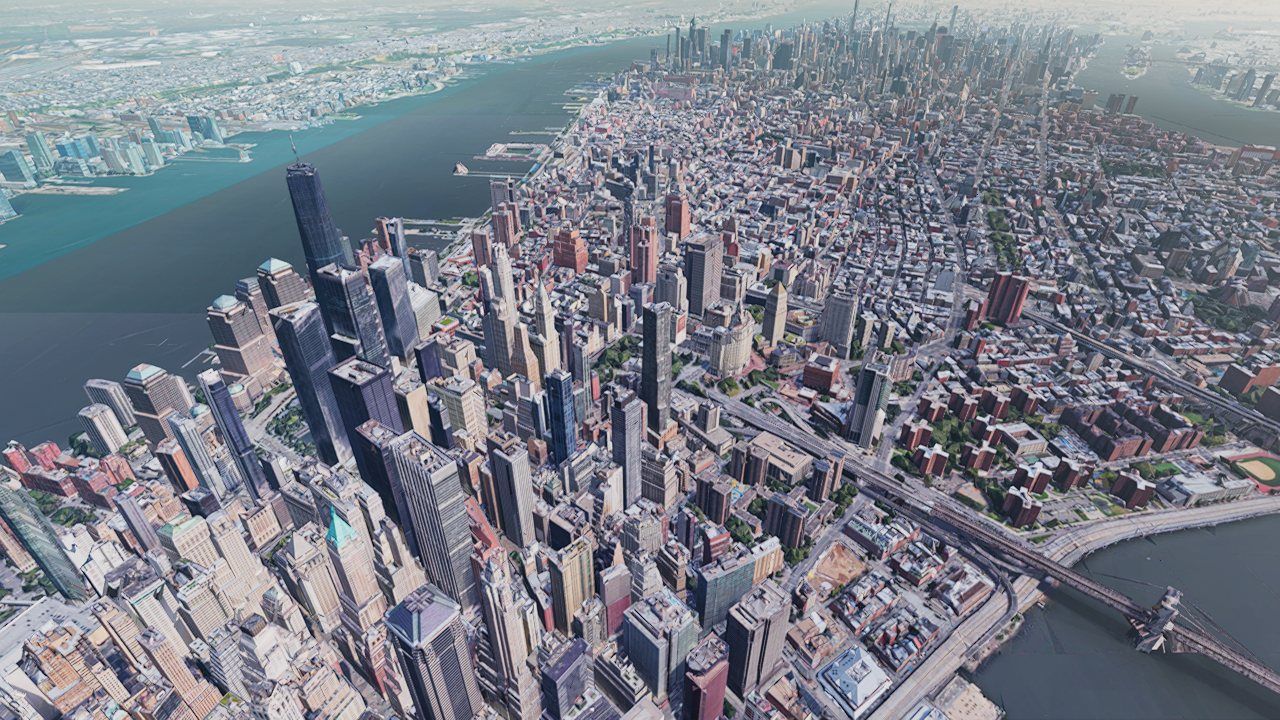
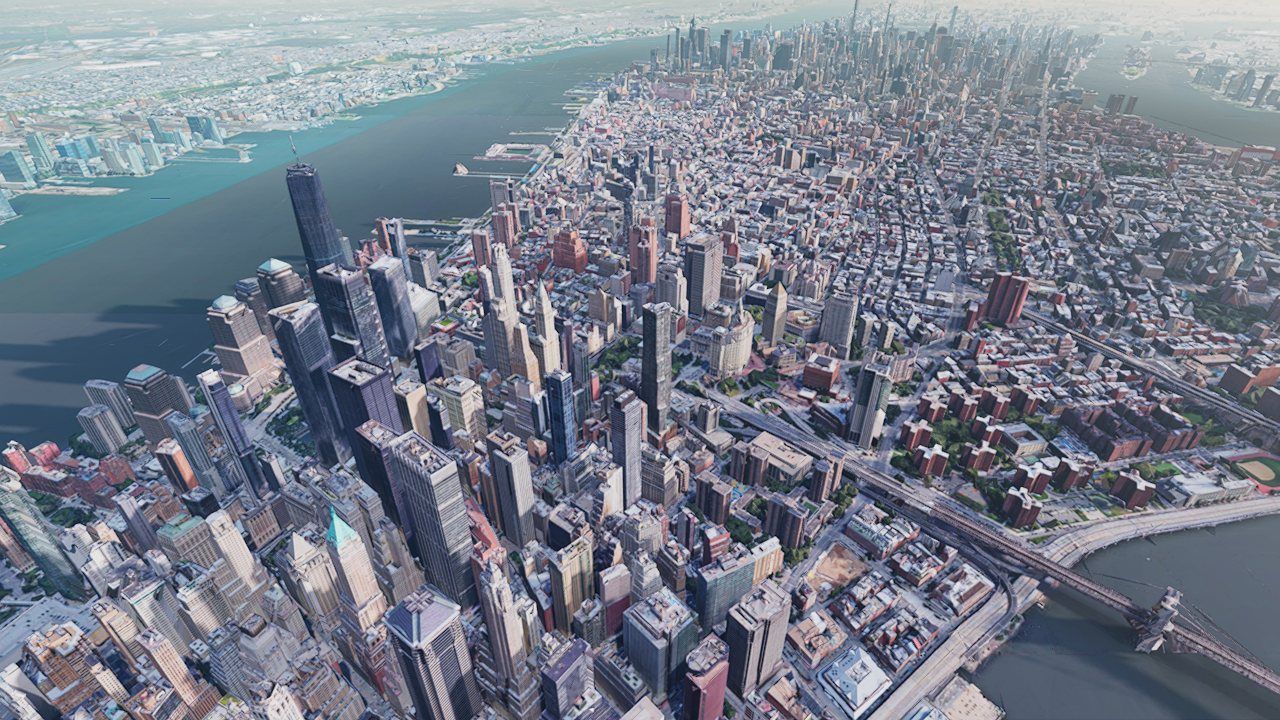 shadows offshadows on
Ambient occlusion and sky light
Sunlight is only part of the picture. A street between tall buildings is darker than an open plaza because less sky can reach it. Two effects handle this:
- Ambient occlusion (GTAO). For each pixel, the G-buffer's depth is used to estimate how much of the surrounding hemisphere is blocked by nearby geometry, within a 2 m radius. SSAO and HBAO+ are selectable alternatives.
- A sky reflection probe. The sky is captured into a small cube map (256 px per face, prefiltered to 128) that supplies diffuse sky light and blurry reflections. It is re-captured only when the sun moves, never when the camera moves. While the clock animates, it waits until the sun has moved 0.1 hours (6 minutes), because one capture (6 faces plus filtering) was the single largest fixed GPU cost in the frame. Skipping it on ~96% of frames is invisible: the probe holds only soft, low-frequency light, and the sharp sun highlight comes from the analytic sun.
The probe doesn't capture the physical atmosphere described in Part IV. It paints a cheap three-color gradient (zenith, horizon, ground) whose brightness follows the sun. At night that gradient went to black, and on a moonless night the whole city did too. The probe has an "ambient" setting, but it only applies to mesh captures, so raising it did nothing. The fix adds a cool blue "airglow" floor directly into the gradient colors, scaled by night = 1 − day, so daytime is pixel-identical while a moonless city reads as dim blue instead of black.
Two kinds of sea
Water needs a different treatment from land: it is flat, it mirrors the sky at grazing angles, and it has to move. Planet Explorer has two ways of finding it, because its two surface sources describe water differently.
- Terrain tiles carry a water mask. Cesium World Terrain marks each tile as all land, all water, or with a 256×256 mask. After deferred lighting the water tiles are drawn again as a translucent surface that samples the mask per pixel (so the coastline is as sharp as the mask, not the triangles), reads the lit scene behind it as refraction, and adds animated ripple normals, a Fresnel sky reflection and a sun glint.
- Photoreal tiles don't. Google's tiles bake the ocean as flat textured meshes at sea level, with no mask at all. So a screen-space pass asks each lit pixel three questions: is it at sea level, is it flat, and does the imagery look like water? "Sea level" means the EGM96 geoid, mean sea level above the ellipsoid, which varies by more than a hundred meters around the world (about −33 m at New York); testing against the ellipsoid alone would flood low coasts in one city and dry the harbor in another. Pixels that pass get the same ripple, Fresnel and glint shading over the baked color.
The height test is a precision problem in disguise. Reconstructing a pixel's position from depth and subtracting a 6,378 km radius would discard every meter. Instead the pass measures against a tangent sphere anchored on the ellipsoid directly under the camera: the height is the distance along local up minus the sphere's sagitta, t² / 2R, with the position taken relative to that nearby anchor. The anchor, its east/north/up frame and the local radius of curvature are computed in double precision every frame; the shader only ever sees small numbers. The band it accepts as "sea level" is a couple of meters wide near the camera and widens with distance, where depth precision and the sphere approximation both loosen.
Painting air: the sky, sunsets and distance haze
Real air is a thin shell of gas and dust, about 60 km thick on this scale, that bends sunlight toward your eye. Getting it right is most of what makes a rendered planet look real. This part builds the engine's sky model from scratch and lets you run it.
Why the sky is blue and sunsets are red
Sunlight is white: a mix of all colors. As it crosses the atmosphere, some of it bounces off particles in the air and changes direction. That is scattering, and the light that reaches your eye from a patch of sky is sunlight that was scattered toward you somewhere along that line of sight. Three ingredients matter:
- Rayleigh (air molecules)Molecules are far smaller than the wavelength of light, and they scatter short wavelengths much more strongly, in proportion to 1/λ⁴. Blue (440 nm) scatters about 4× more than red (680 nm). The engine uses βR = (5.5, 13.0, 22.4) × 10⁻⁶ per meter for red, green and blue. Its density falls off with height with a scale height of 8.5 km.
- Mie (aerosols)Dust, water droplets and pollution are bigger, scatter all colors about equally (so they look white or gray), and scatter mostly forward, which gives the bright glow around the sun. βM = 21 × 10⁻⁶ /m, with absorption bringing extinction to 1.1 × that; scale height 1.2 km, so it hugs the ground.
- OzoneOzone doesn't scatter; it absorbs, mostly orange and green (βO = (0.65, 1.88, 0.085) × 10⁻⁶ /m), in a layer peaking around 25 km. It is why the twilight sky overhead stays deep blue instead of going gray.
Each kind of scattering also has a phase function: how likely light is to scatter by a given angle. Rayleigh is nearly symmetric, scattering forward and backward about equally. Mie is strongly peaked forward. The engine uses the Cornette–Shanks form with asymmetry g = 0.758 for the air, and (in Part V) a related function for cloud droplets.
How much air does sunlight cross?
How much light survives a path is its transmittance, given by the Beer–Lambert law: T = e−τ, where the optical depth τ adds up the scattering and absorption coefficients times the air density along the path. Straight up from sea level, the engine's numbers give Rayleigh τ = 0.047, 0.111, 0.190 (red, green, blue), Mie 0.028, and a little ozone. So the noon sun loses about 8% of its red, 15% of its green and 20% of its blue: it still looks white. Toward the horizon the path through the air is roughly 38 times longer. Blue is almost entirely scattered away before it reaches you, green mostly too, and what's left is the orange-red of sunset.
A sky you can run: single scattering
The engine's sky (src/shaders/modules/atmosphere_model.wgsl) computes, for each
view direction, the light scattered toward the camera exactly once on its way from the sun.
It is a single-scattering model in the tradition of Nishita's 1993 paper. For one
view ray it steps through the atmosphere, and at each step asks: how much air is here, how
much sunlight reaches this point, and how much of what scatters here survives the trip to
the eye?
- kone of 8–32 sample points along the view ray, more for long grazing rays
- ρ(h)air density at that height: e−h/8500 (molecules), e−h/1200 (aerosols)
- μcosine of the angle between the view ray and the sun
- T(sun→k)8-step march from the point to the top of the atmosphere; exactly 0 if the planet is in the way
Several details in the shader exist because a simple version failed in a visible way:
- Adaptive sample count. A ray straight up crosses 60 km of air; a ray skimming the horizon crosses hundreds. The number of samples is 8 + 24·√(length / grazing chord), so about 16 overhead and 32 at the horizon, where the color changes fastest.
- The planet's shadow. A sample point after sunset can't see the sun because the planet is in the way. The first version of the sun march simply stopped when it dipped below ground and returned "no air in the way", so for a moment after sunset the sun flashed bright white and un-reddened. The fix returns an optical depth of 10⁹ (zero light) whenever the path to the sun hits the planet.
- Twilight fade. Real twilight glow comes from light scattered several times. Single scattering can't produce it, and leaves a permanent sunset band on the horizon long after dark. The sky is multiplied by sky_t = clamp((sun elevation + 0.12)/0.12), which reaches zero at about −6.9°, the end of civil twilight.
- Ground bounce. The sunlit ground acts as a second, dim light source for the air near it. A cheap term (ground albedo × sunlight × an Oren–Nayar rough-surface factor, weighted toward low altitudes) brightens and warms the lower sky.
Lookup tables: computing the sky 20,000 times instead of 2 million
Running that integral for every pixel of a 2560×1440 screen every frame would be wasteful. The sky changes slowly across the screen, so the engine computes it into a small sky-view lookup table (LUT): a 192×108 texture indexed by direction (azimuth relative to the sun, and elevation). It is re-baked every frame, about 20,000 evaluations, and every sky pixel then reads it with one filtered texture fetch.
The bake reads the same uniform buffer as the dome shader. Byte-identical struct declarations mean any live change (switching to Mars's coefficients, a new planet radius) flows into the table on the same frame with no extra code. That is why switching bodies needs no table recomputation.
The interesting part is how rows are spent. The sky changes fastest near the horizon, so the elevation coordinate is warped with a signed square root: v = ½ + ½·sign(l)·√|l|, where l is elevation ÷ 90°. From orbit, though, the horizon isn't at 0°: it dips below you by asin(√(1 − (re/r)²)). A "limb" mapping, on by default, re-centers the warp on that dipped horizon. At ground level it is identical to the default, so it costs nothing there, and from orbit the thin bright limb gets most of the table's rows instead of banding.
Three more small tables round out the sky:
- transmittance · 256×64how much sunlight survives from any height in any direction. Baked once. The clouds use it to redden sunlight at dusk.
- multi-scatter · 32×32light that scattered two or more times, using Hillaire's 2020 trick: assume it is isotropic and sum the bounces as a geometric series, Lms = L₂ / (1 − fms). Baked once. The haze uses it to fill shadows with soft sky light.
- distant skylight · 2×1two texels: the average sky over the upper hemisphere, and around the horizon ring. The clouds use them as ambient light. Computing just two texels was costing 0.5–1.2 ms a frame (each one is a full hemisphere integral), so the result now lives in a persistent texture and is only re-baked when its inputs change beyond a tolerance: camera position to 10 m, sun direction to about 0.06°, atmosphere parameters exactly.
Aerial perspective: why far mountains are blue
The same scattering that colors the sky also sits between you and every distant object. Two things happen along that path. The object's own light is dimmed (by the transmittance T), and sunlight scattered off the air in between is added (the in-scatter). Painters call the result aerial perspective. It is the strongest depth cue in a landscape, and the most common reason a rendered city looks either fake or washed out.
The engine computes both terms ahead of time into a froxel volume (a grid of frustum-shaped voxels aligned with the camera): 32 × 32 screen cells × 32 depth slices. One compute pass marches each cell's ray once and stores in-scatter and transmittance at every slice. The depth slices are spaced quadratically, t = ((s + ½)/32)² × 128 km, so they are dense near you (the first two at 31 m and 281 m) and sparse far away. Unlike common implementations, transmittance is stored per color channel rather than as one gray value, so distant terrain shifts toward red as well as fading. The lighting pass then looks up every pixel's depth in the volume.
The case of the washed-out city
For months the haze was tuned by eye, and every view of a city came out pale and milky. The
fix kept being "lower the maximum opacity". The history of that one number in
planet_explorer.ts tells the story:
| hazeOpacity | why it changed |
|---|---|
| 1.0 | first version |
| 0.7 | "1.0 washes the mountains ringing Las Vegas into solid orange" |
| 0.35 → 0.2 | further reductions in later tuning passes |
| 0.1 | "0.2 washed a whole city view to near-white" |
| 0.85 | the real cause was found, and the cap went back up |
Side-by-side screenshots finally made the problem obvious: the opacity cap was treating a
symptom. The real cause was the density. A shared helper had defaulted
fogScale to 8, making the air eight times thicker than physical. Its haze
reached 1/e in about 3.5 km instead of 28 km, so every city view saturated a few
kilometers out. The sample now uses 1.5, slightly thicker than clear air for a sense of
depth, and the cap went back to 0.85.
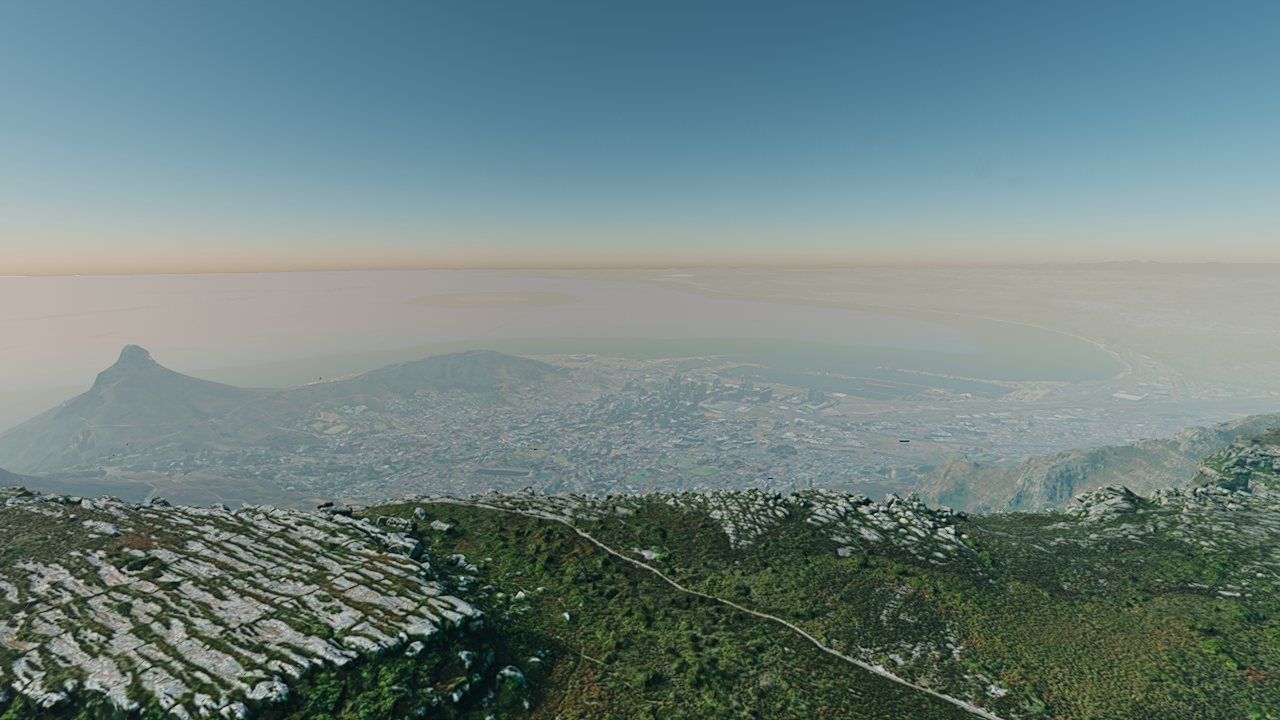
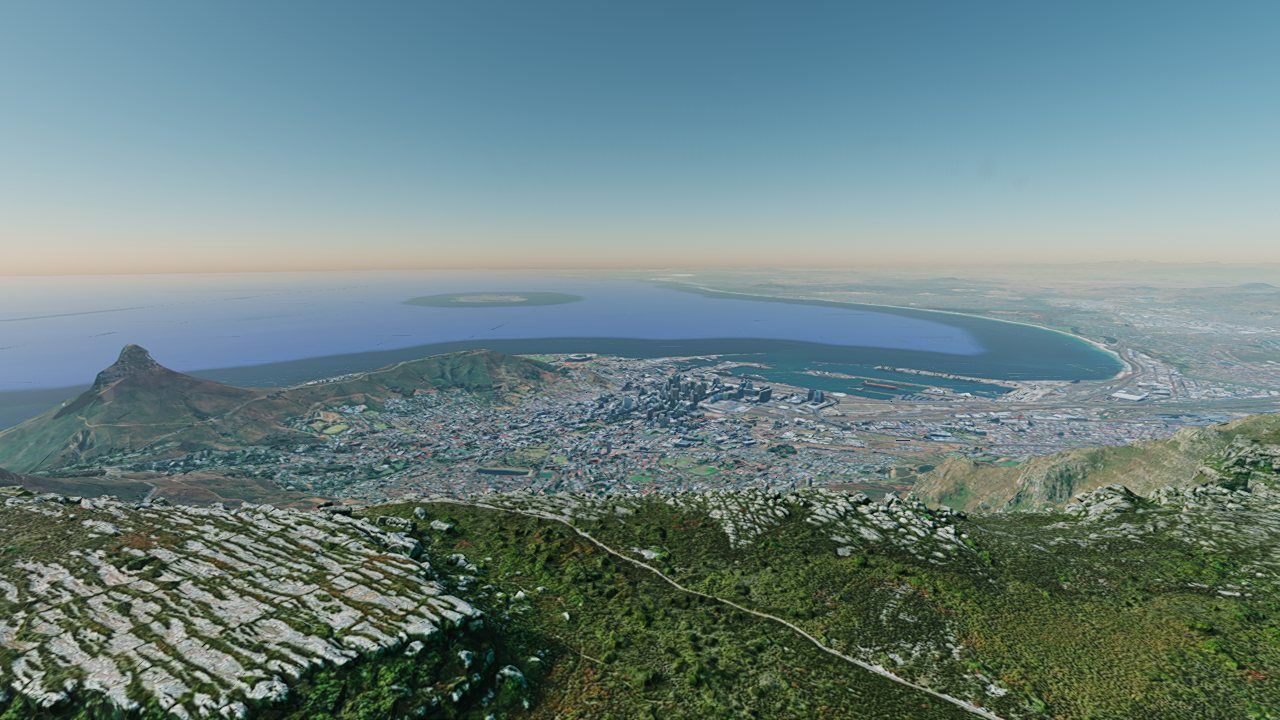 fogScale 8 (old)fogScale 1.5 (now)
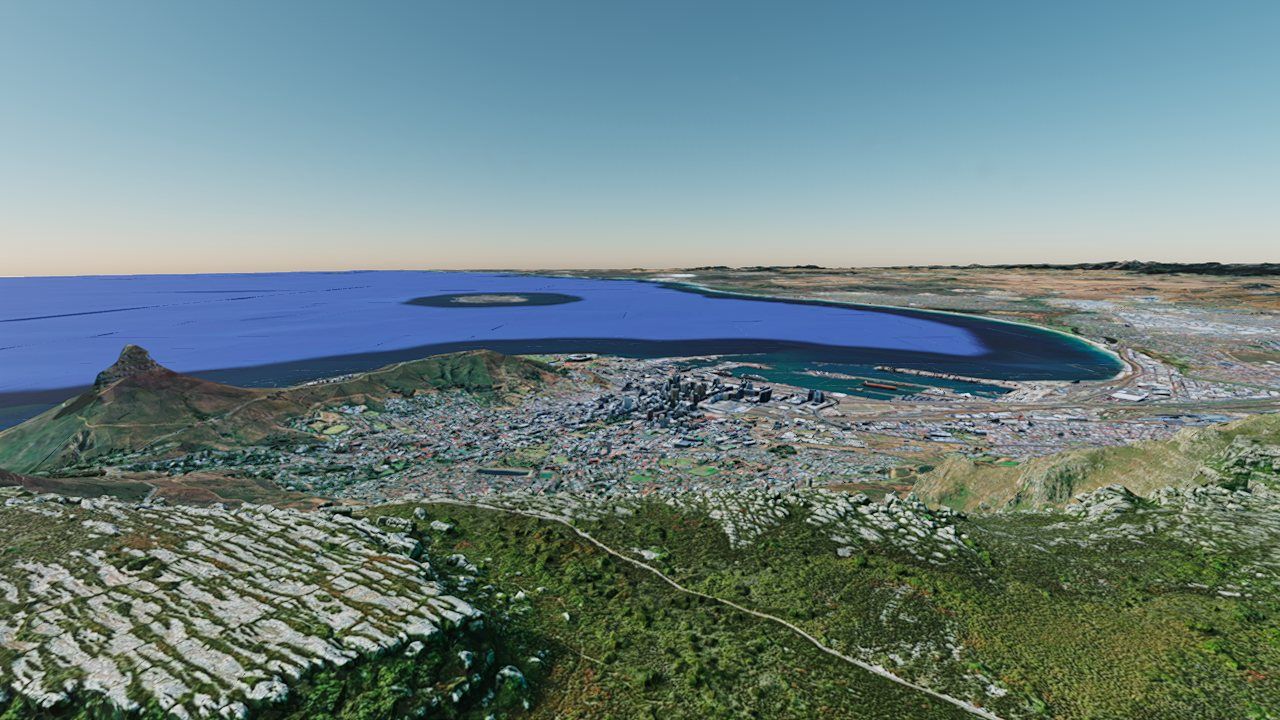 no hazehaze on
Two more fixes close out the haze:
- Converging to the sky. Far geometry should fade into exactly the color of the sky behind it, or distant ridges show a visible seam against the horizon. So the in-scatter is blended toward the sky-view table's color in the horizontal direction, weighted by how opaque the haze is. After sunset that blend is switched off: the horizon is still lit by far-off sunlit air while the air near you is in shadow, and converging toward it painted a pale veil over the dusk landscape.
- No NaNs from orbit. The analytic height-fog term computes exp(−optical depth). From orbit the optical depth overflowed, and infinity times zero produced not-a-number pixels that showed as black holes on the planet. The exponent is clamped to 32 first.
From the ground to space without a seam
Many sky renderers assume the camera stands on the ground. Planet Explorer's camera can be
anywhere: in a canyon below sea level, at 400 km, or 380,000 km away. The trick that makes
this work is small. The dome shader puts the planet's center at its real position relative to
the camera (ray origin = camera − planet center) and leaves the ray
direction in ordinary world space. Every frame the sky coordinator
(CurvedHorizonSky) maps the active body's center through the floating origin and
hands over its local ground radius, so the same equations describe standing in a street and
looking down from orbit.
| Altitude (Earth) | What changes |
|---|---|
| 0 km | full haze; sky-view table in its ground-level mapping |
| 7 km | stars begin to fade in, even in daylight (12% of the 60 km shell) |
| 30 km | a soft blue limb glow starts to appear around the planet's edge |
| 45 km | stars at full brightness (75% of the shell) |
| 50–150 km | the distance haze fades out; the cloud deck has already faded by ~40 km above its top |
| 60 km | top of the atmosphere: rays now start where they enter the shell, and the air becomes a band around the limb |
| 100 km | the key light becomes the full sun (switches back below 80 km) |
| 32–319 km | the camera's up-lock fades out; free flight |
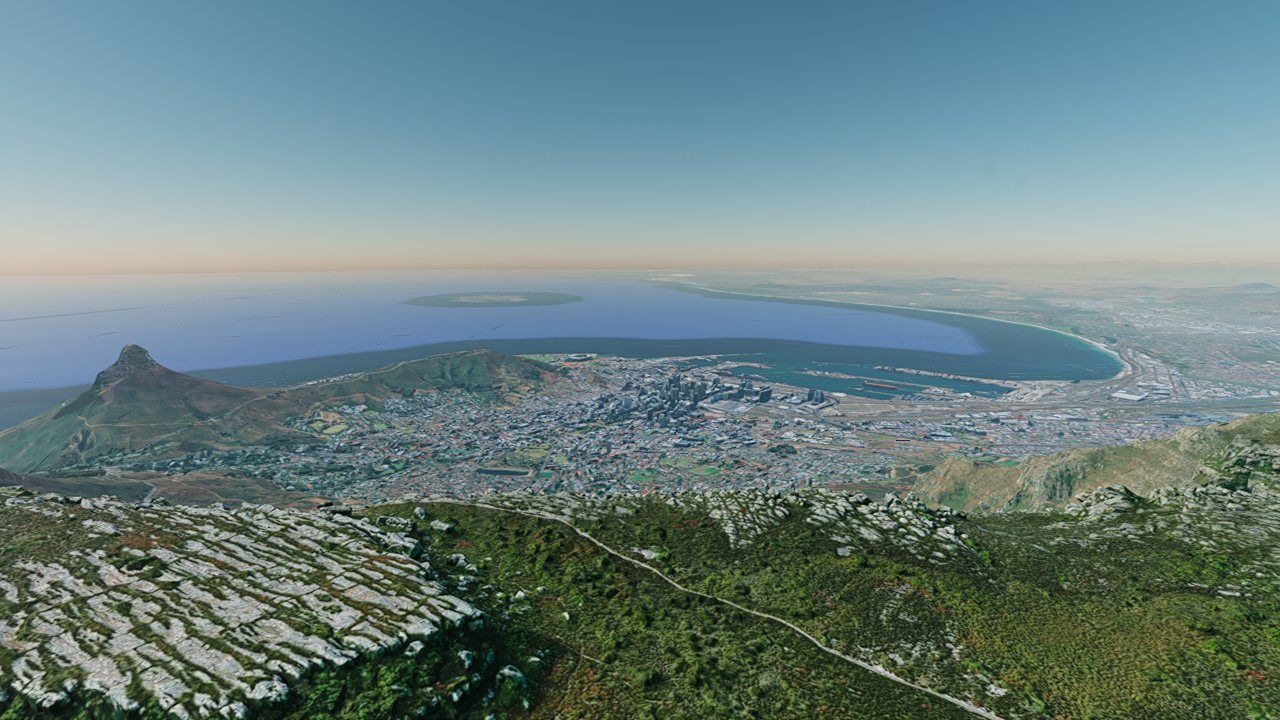 1 km400 km
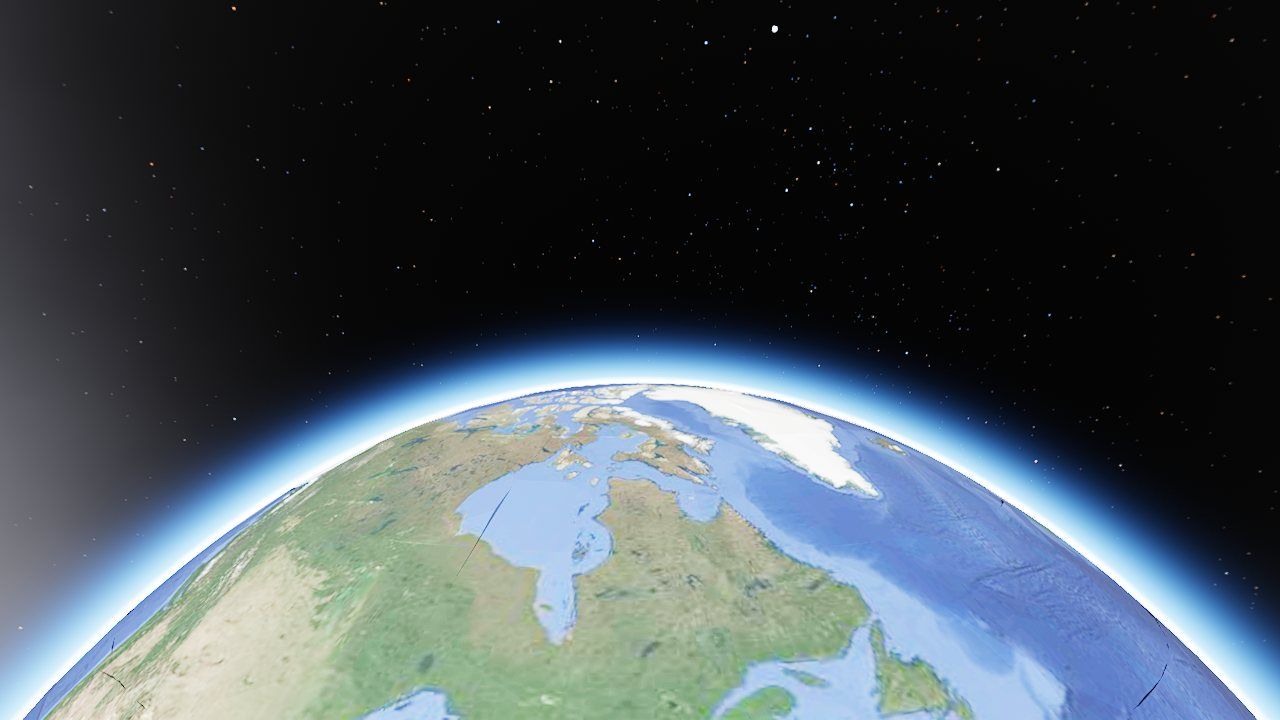 3,000 km
Beyond the edge of the streamed tiles, the sky shader paints a stand-in ground globe: where a view ray hits the planet sphere it shades a sunlit surface (procedural continents for Earth, flat gray for an airless body), seen through the atmosphere in front of it. Real tiles drawn later simply cover it. Near the limb, the painted ground blends into the horizon sky color so the last sliver of globe melts into the glow.
The atmosphere model assumes the camera is above the ground sphere. Jezero crater on Mars is 2–3 km below Mars's reference surface, so a camera standing in it was "underground" as far as the math knew: the horizon went black and the haze turned into an opaque fog. The fix is one line. The ground radius given to the atmosphere is clamped to min(true radius, camera radius − 2 m), so the camera is always just above it, while the streamed terrain still shows the real crater floor.
Volumes of water, and points of light
Clouds are the hardest thing in the sky to render: they have no surface, and light bounces around inside them many times. Stars are the opposite problem: thousands of tiny, precise points that must stay sharp. Both are covered here.
Building a cloud out of noise
Planet Explorer's clouds are volumetric: a 3D density field filling a shell around the planet, 1.2–3.2 km above the ground under the camera by default. There are no cloud meshes at all. For each pixel the shader walks a ray through the shell and asks "how much water is here?" at each step. The density at a point combines three ingredients:
- Weather: where clouds may form. A slow, large-scale noise (three octaves of value noise) varies the coverage from place to place, so the sky breaks into banks with clear gaps rather than an even sheet. The variation is mean-preserving: coverage × (1 + 0.7 × (2w − 1)), so the slider sets the average.
- Shape: the billows. A 128³ Perlin–Worley noise texture, which is smooth Perlin noise combined with the "cellular" Worley pattern that looks like packed bubbles, sampled with a period of about 20 km. A vertical profile per preset makes clouds flat-bottomed and rounded on top. The noise is remapped so that lowering coverage shrinks every cloud from its edges inward instead of thinning it uniformly.
- Erosion: the wispy edges. A finer 32³ noise, with a period of about 935 m, is subtracted near the edges to carve fine detail and break up the "cauliflower" look.
The noise textures are baked images loaded at startup. The engine can generate cloud noise at runtime, but that version was far too weak for this density model: it read as thin wisps.
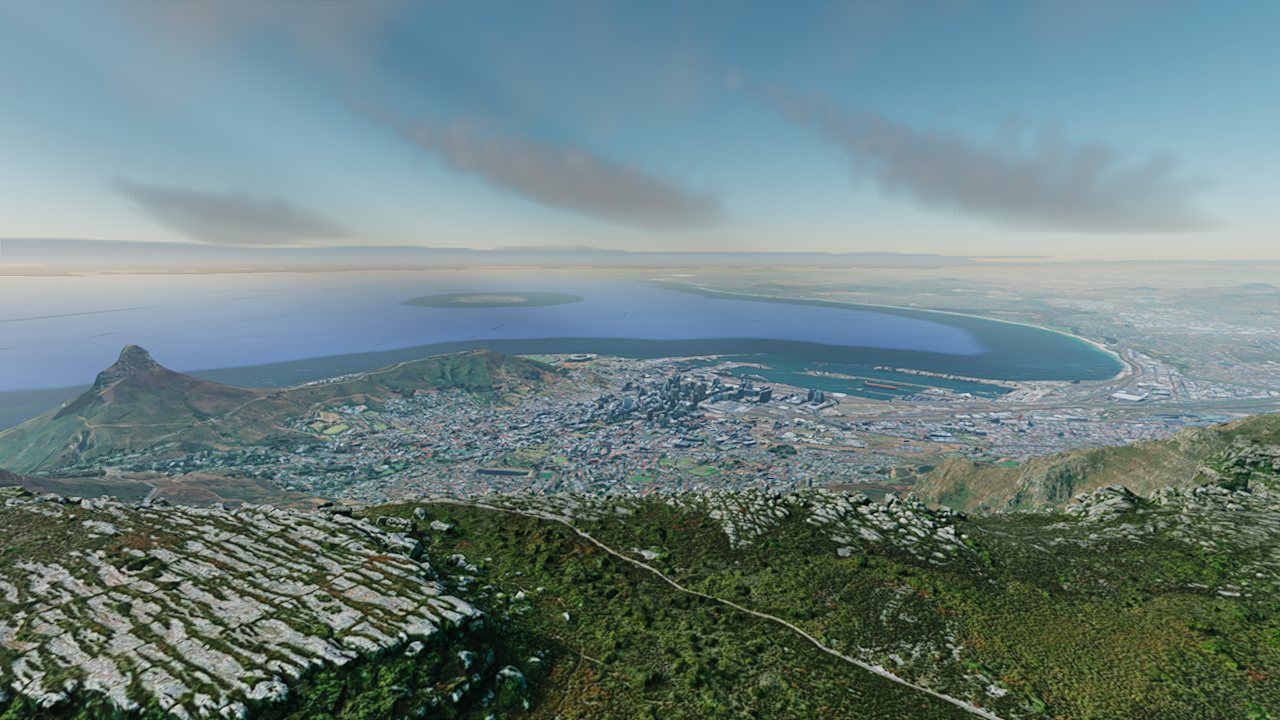
Clouds on a curved planet, in 32-bit floats
The cloud shell is two concentric spheres, at the planet's radius plus 1.2 km and plus 3.2 km, centered on the real planet center and re-anchored to the terrain height under the camera (eased over time, so the deck doesn't pop when you cross a mountain). That raises the precision problem from Part I again. The obvious altitude calculation, length(p − center) − R, subtracts two numbers around 6.4 million in 32 bits and keeps only about half a meter of precision. The shader avoids it with a parabolic approximation that never forms R²:
- dx, dzhorizontal offset from the point directly below the camera, a few km at most
Ray–shell intersections solve the same parabola for the ray using the numerically stable form of the quadratic formula. The noise is also sampled in camera-relative coordinates, with the world anchor and wind offset folded into small per-layer phase offsets computed in 64 bits on the CPU. Without that, at world coordinates around 100 km the noise lookups went coarse and the cloud deck turned to "position-dependent popcorn".
Lighting a volume
At each step along the view ray, the shader works out how much sunlight reaches that point and how much of it scatters toward the camera, then dims everything behind by the step's own transmittance. The building blocks:
- Energy-conserving stepseach step adds light × (T − T·e−σΔs), the light scattered by exactly the fraction of transmittance the step removes. This stays correct with large steps, where the naive light × σΔs would over-brighten.
- Sun visibilitythe optical depth toward the sun, read from a Beer shadow map: two 512² sun-aligned maps, 12 km and 120 km across, each texel storing the cloud's optical depth along a 24-sample sun ray. One cloud can shadow another far down-sun, beyond the reach of a short per-step light march.
- Multiple scatteringeight "octaves", following Wrenninge's approximation: Σ e−τ·ao · phase(g·ao) · ao with a = 0.5. Each octave pretends light penetrates further (smaller τ) and scatters more evenly (flatter phase), at less strength.
- Phasea fitted approximation of real Mie scattering for 12 µm droplets (Jendersie & d'Eon 2023): a Henyey–Greenstein lobe blended with a Draine lobe, giving the bright silver lining when you look toward the sun through a cloud's edge.
- Powdera darkening of thin edges seen away from the sun, where little light has had a chance to scatter in: the dark crinkles on a cumulus.
- Color of the lightsunlight is reddened by the atmosphere's transmittance table at the cloud's altitude, so clouds catch sunset colors. Ambient light comes from the 2-texel skylight table: sky above for the tops, horizon ring for the bases.
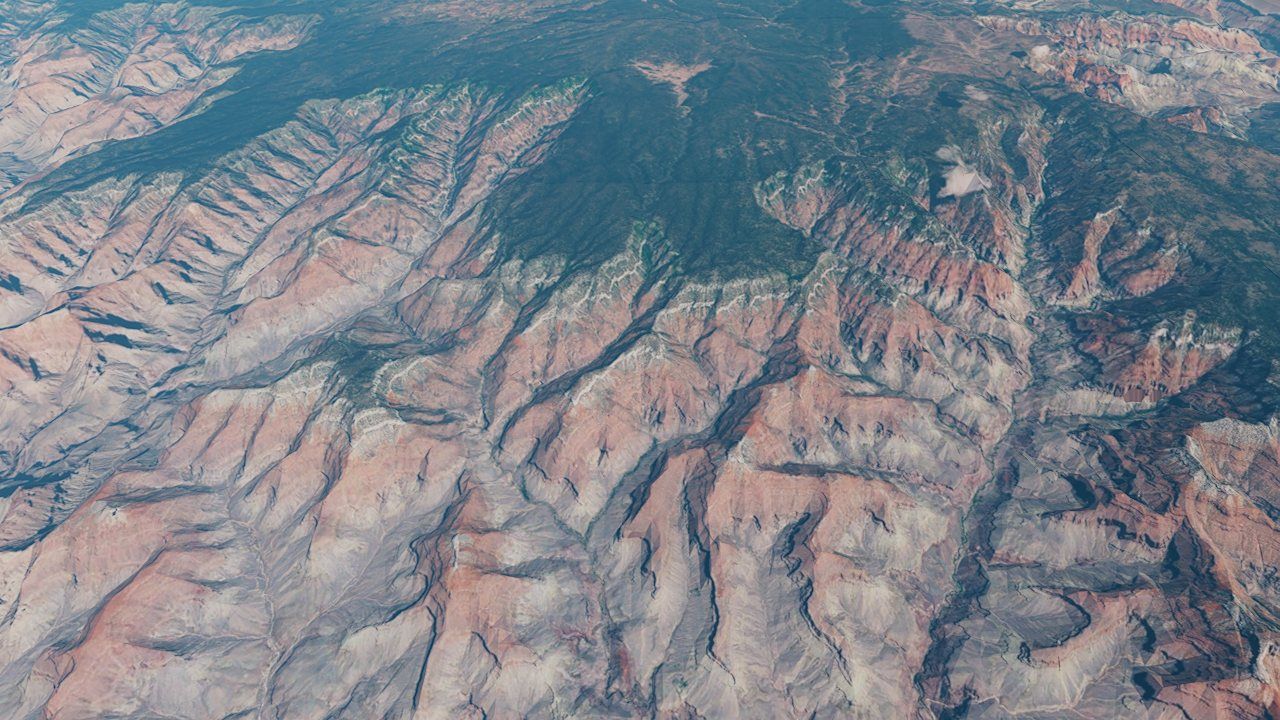
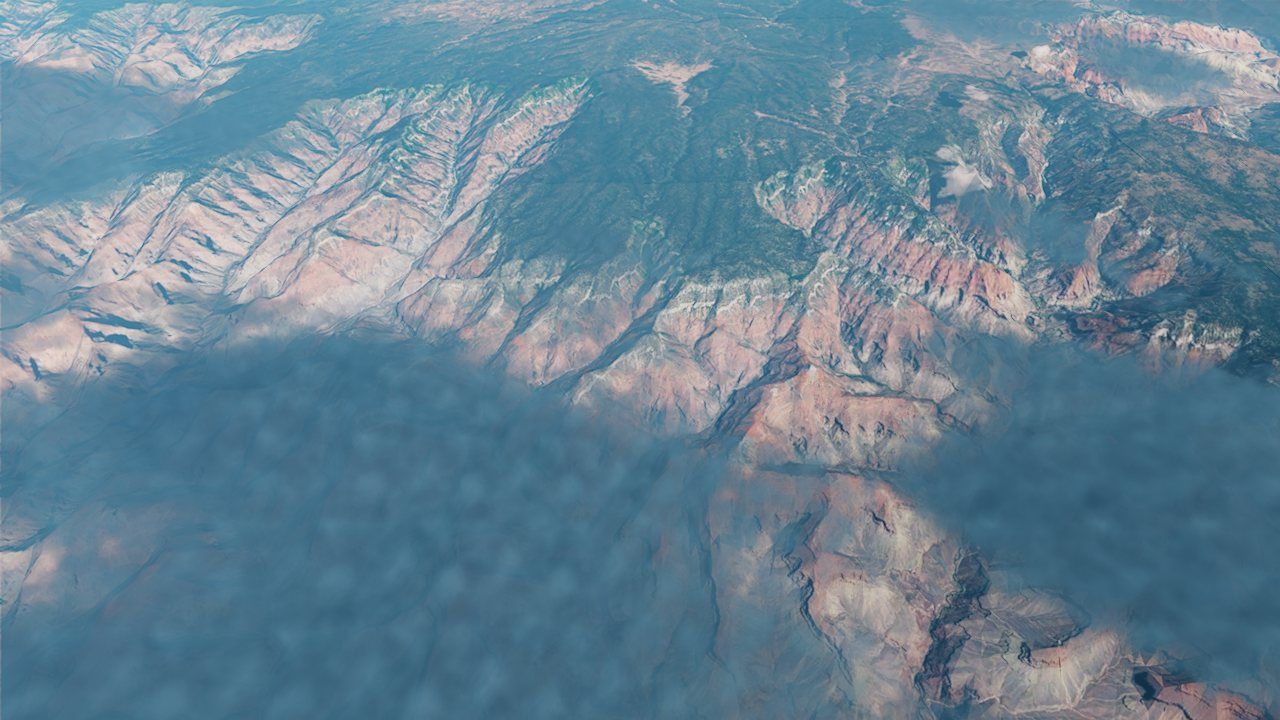 clouds offclouds on
Half the pixels, sixteen frames of memory
A full-quality cloud march at full resolution would cost several milliseconds. The engine makes it affordable with a chain of shortcuts:
- Half resolution. Clouds are marched on a quarter of the pixels (half width, half height), up to 64 steps per ray by default.
- Empty-space skipping. After 8 empty samples in a row, the march switches to cheap probes at twice the stride, using a coarser noise level and no erosion. On finding cloud it steps back one sample and resumes fine steps.
- Jittered starts. Each ray starts at a different random fraction of a step, using "interleaved gradient noise" plus a per-frame offset from a 16-frame Halton sequence. Any single frame is grainy, but every frame samples different points.
- Temporal reprojection. At full resolution, the new half-res result is upsampled with depth awareness and blended with last frame's result, reprojected to where it now appears on screen. At rest about 5% of each new frame is mixed in, an effective memory of ~20 frames, which averages the jitter away. The history is clipped to the range of the current neighborhood (mean ± 1.25 standard deviations), so stale colors can't linger as ghosts when things move.
- A fast path. If the four half-res texels around a pixel are exactly equal, as they are wherever no cloud is visible, the reprojection returns at once and skips about 40 texture reads. In a downward city view that cut the pass from 0.8–1.0 ms to 0.05 ms.
The reprojection uses the scene depth (the buildings and ground) rather than the cloud's own depth, which jitters from frame to frame. For sky pixels it intersects the ray with a sphere halfway up the cloud deck, which gives the clouds proper parallax as the camera flies. Clouds only exist on Earth, and they fade out between 3 and 40 km above the deck so the whole effect costs nothing from orbit.
Nine thousand real stars
The stars aren't random dots. They come from the Yale Bright Star Catalog (BSC5): every star visible to the naked eye, 9,096 of them, each with its position (right ascension and declination), its brightness and its color temperature. The catalog ships inside the engine as about 190 KB of packed 32-bit floats. At startup a background job "splats" every star into a 4096×2048 sky texture:
- brightnessastronomical magnitude m is logarithmic and backwards (smaller is brighter); light flux is 10−0.4 m, so each magnitude step is 2.5× dimmer. Stars down to magnitude 6.5 are drawn.
- colortemperature in kelvin is converted to RGB with a blackbody curve fit (Tanner Helland's), then normalized to unit brightness, so temperature sets only the hue and flux sets how bright the star is.
- shapea small Gaussian blob, slightly larger for bright stars, wrapping around at the 0°/360° seam
A procedural Milky Way is added on top, defined in galactic coordinates: a noise-textured band, a bulge toward the galactic center, and a dark dust rift down the middle. There is also an optional aurora: curtains whose noise is sampled around a circle (cos and sin of the azimuth) rather than by raw angle, so there is no seam where the angle wraps.
When should the stars show?
Two independent reasons make stars visible: it is night, or you are high enough that there's little air above you. The engine takes the larger of the two:
The last factor dissolves stars smoothly into bright sky (near the sun, or the bright limb) instead of cutting them off at a hard edge. On an airless body like the Moon the stars are simply always on, even in full daylight, which is exactly what the Apollo astronauts would have seen with dark-adapted eyes. A ray–sphere test against the planet keeps stars from showing through the ground from orbit.
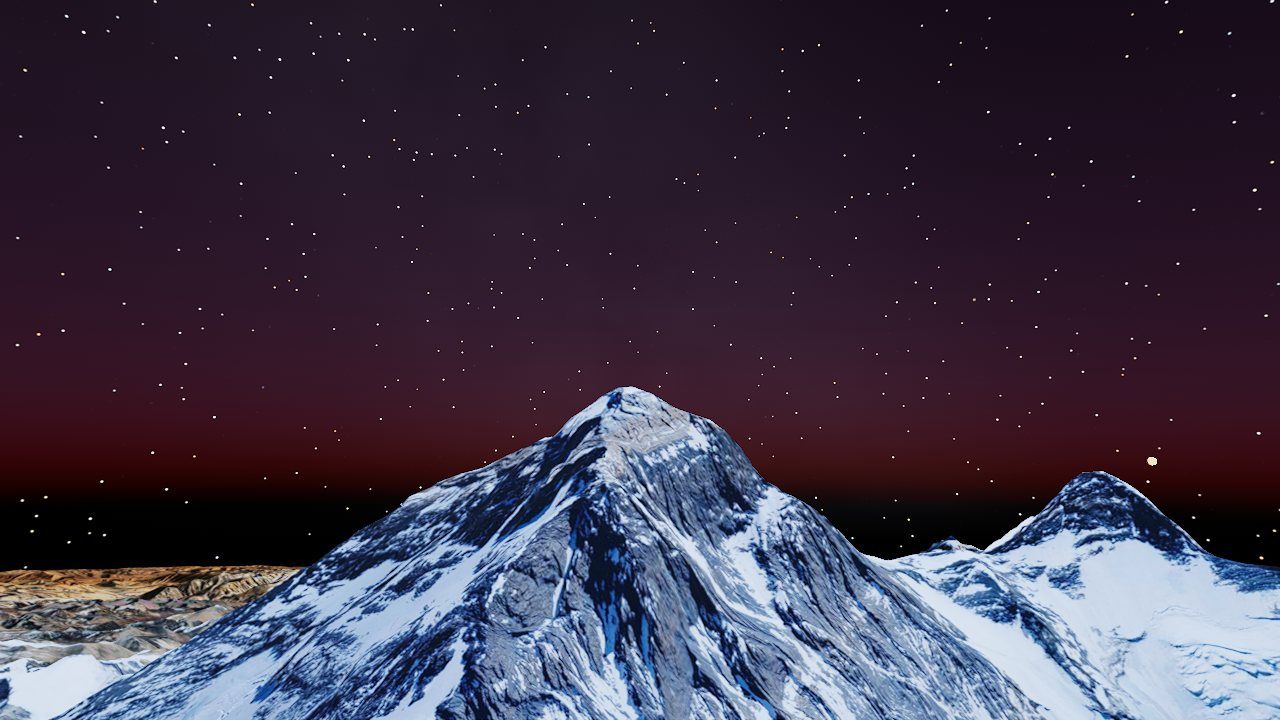
The star texture is in equatorial layout, so it has to be rotated into the sky you would see from the anchor. The sun runs on a stylized clock rather than an ephemeris, so the sidereal angle is derived from that clock instead: the Greenwich angle that puts today's sun (its real right ascension for the date) at the clock's hour angle. The celestial pole then sits at an altitude equal to your latitude, the season's constellations culminate at midnight, and the sky turns as the hours pass. The rotation is applied through the floating origin's east/up/north basis, so it survives re-anchoring, and it includes the axis swap that keeps the equirect from reading mirror-imaged from inside the sphere.
Why the Moon must not be pasted on the sky
From Earth, the Moon is drawn as an analytic sphere (Part VI explains why). It is lit by the sun with a soft terminator, and a sample's first version simply replaced the sky pixels it covered. At night that's right: the Moon blocks the stars. In daylight it looked wrong, a gray-and-black ball stuck on a blue sky, because its shadowed half was darker than the sky around it.
The physics says why. The Moon is 380,000 km away and the atmosphere only about 100 km thick, so all of the bright daytime air is in front of the Moon. The sky's light adds on top of the Moon's. The fix composites the body with a weight that depends on how bright the sky behind it is:
Earth, Moon and Mars in one continuous space
Most planet viewers show one planet. Planet Explorer puts three in the same coordinate system, lets you fly between them without a loading screen, and draws each one correctly from any of the others. Doing that reuses everything above, and adds a few new problems.
One universe, centered on Earth
The Moon and Mars are not separate scenes. All three bodies live in one "universe" ECEF space with Earth's center at the origin. Each other body sits at a fixed offset, along an arbitrary direction chosen so they lie in different parts of the sky:
| Body | Radius | Distance from Earth | Notes |
|---|---|---|---|
| Earth | 6,378,137 m (eq.) 6,356,752 m (polar) | 0 | WGS84 ellipsoid |
| Moon | 1,737,400 m | 60 R⊕ ≈ 382,688 km | real distance (adjustable 3–60 R⊕); orbits once every 30 minutes |
| Mars | 3,396,190 m (eq.) 3,376,200 m (polar) | 100 R⊕ ≈ 638,000 km | deliberately compressed: the real distance is 55–400 million km |
The Moon and Mars tilesets are ordinary Tileset3Ds given two extra
parameters. A body offset is a pure translation from the body's own centered
coordinates into the universe, applied to both the baked vertices and the bounding
volumes, so tile selection and culling agree with what is drawn. A region
ellipsoid tells the tileset how to interpret geographic tile bounds on that body:
a sphere for the Moon, Mars's own flattened shape for Mars. Because the offset is only a
translation, each body's axes line up with the universe axes, and converting lunar or
martian latitude and longitude needs no rotation.
Choosing the active body
Every frame, one body is active: the one whose tiles stream and draw, whose sky the atmosphere renders, whose surface the camera's up-lock follows, and whose horizon sets the far plane. The choice is "whichever surface is nearest". Measuring to the surface rather than the center matters, or giant Earth would win almost everywhere. To stop the choice flickering back and forth near the midpoint, a challenger has to be 10% closer than the current active body to take over:
A lot keys off the active body: the camera's up and ground clamp, the shadow range, the pixel-error budget, the sky, the clouds (Earth only), the near and far planes, fly speed, place labels, the HUD, and the destination of the rocket button.
Why distant planets are painted, not streamed
An early version drew every enabled body from its streamed tiles. Standing on the Moon you could see Earth's tiles hanging in the sky, but also through the ground: a patch of Earth bleeding through the lunar hills. Two precision problems combined:
- Positions. Earth's tiles, seen from the Moon, sit about 7.8 × 10⁷ m from the floating origin. A 32-bit float there has steps of about 8 m. Projecting them subtracts huge, nearly equal numbers (catastrophic cancellation), and the computed depth comes out wrong.
- Depth range. To include Earth, the far plane had to stretch hundreds of thousands of km. Even with the engine's reversed-Z depth buffer (depth 1 at the near plane and 0 at the far, which pairs with how floats are densest near zero), squeezing such a range starves the nearby terrain of precision.
The result: a distant body's depth sometimes "won" against hills a few hundred meters
away. An interim fix capped the far plane; it helped, but the real fix removed the problem
entirely. Only the active body's tiles are drawn. The others are painted as
analytic spheres by a post-process pass, DistantBodyFeature, which:
- runs only on sky pixels, those with background depth, so any real geometry in front automatically hides the body, with no depth test against it at all;
- intersects each pixel's view ray with each body's sphere analytically, so a few meters of position error is invisible on a disk thousands of km across;
- lets the far plane hug the active body's own horizon (far = max(200 km, 1.15 × horizon + 100 km)), which keeps local depth precision tight.
Painting a planet in a post-process
For each sky pixel the distant-body shader rebuilds the view ray from the inverse view-projection matrix, tests it against up to four spheres, keeps the nearest hit, and shades it:
if (!dz_is_background(depth)) { return vec4(scene, 1.0); }   // real geometry always wins
let oc = cam - c;  let b = dot(oc, ray);  let disc = b*b - (dot(oc, oc) - r*r);
let t = -b - sqrt(disc);
let nrm = normalize(cam + ray * t - c);
let day = smoothstep(-0.08, 0.20, dot(nrm, sun_dir));          // soft terminator
var col = base * (0.025 + day);
if (atmo > 0.0) {                                                // rim glow for bodies with air
  let limb = pow(1.0 - max(dot(nrm, -ray), 0.0), 3.0);
  col += glow * (limb * atmo * (0.15 + day));
}
let wash = smoothstep(0.015, 0.25, luminance(scene));           // daytime sky in front
out = mix(col, col + scene, wash);
Earth gets a real photo: a "blue marble" image wrapped onto the sphere. The surface normal is turned into an ECEF direction with a 3×3 world-to-ECEF matrix supplied each frame, then into longitude and latitude to look up the photo. Because that matrix comes from the current floating-origin frame, the continents stay put as the origin moves. The Moon is plain gray with no atmosphere; Mars is rust-colored with a thin rim.
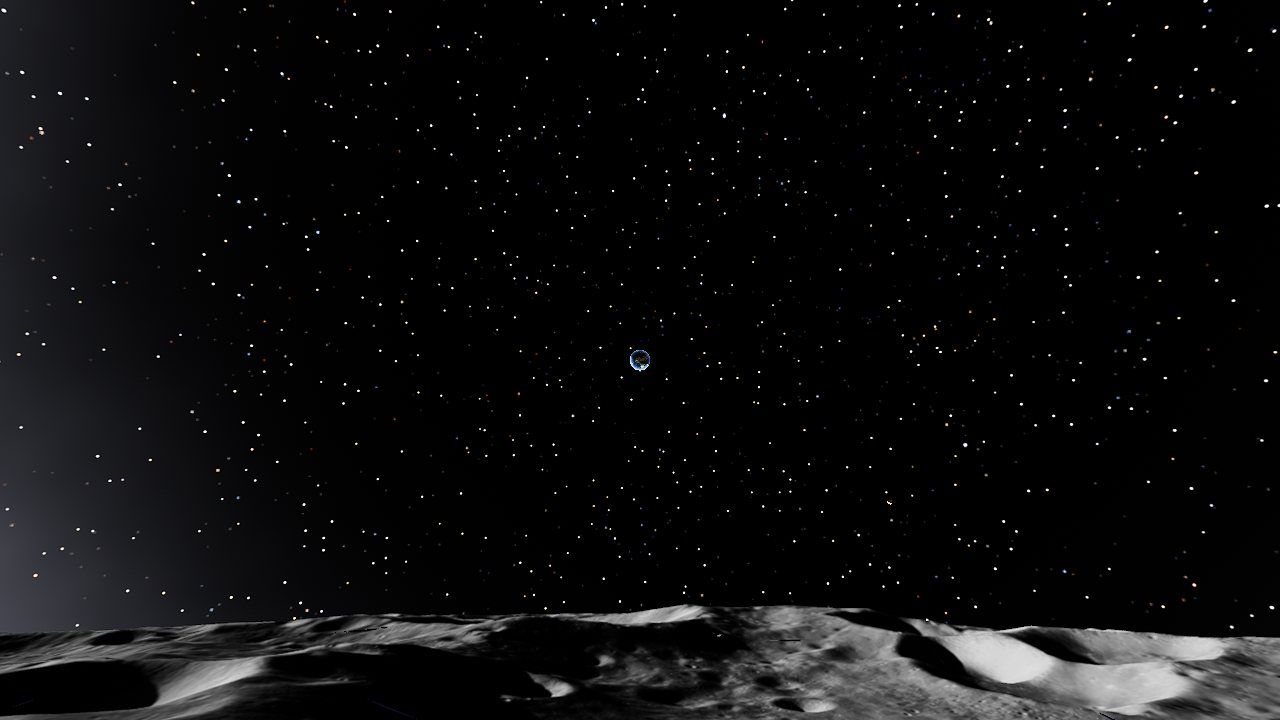 Earth from the Moon, at its true size: about 1.9° across
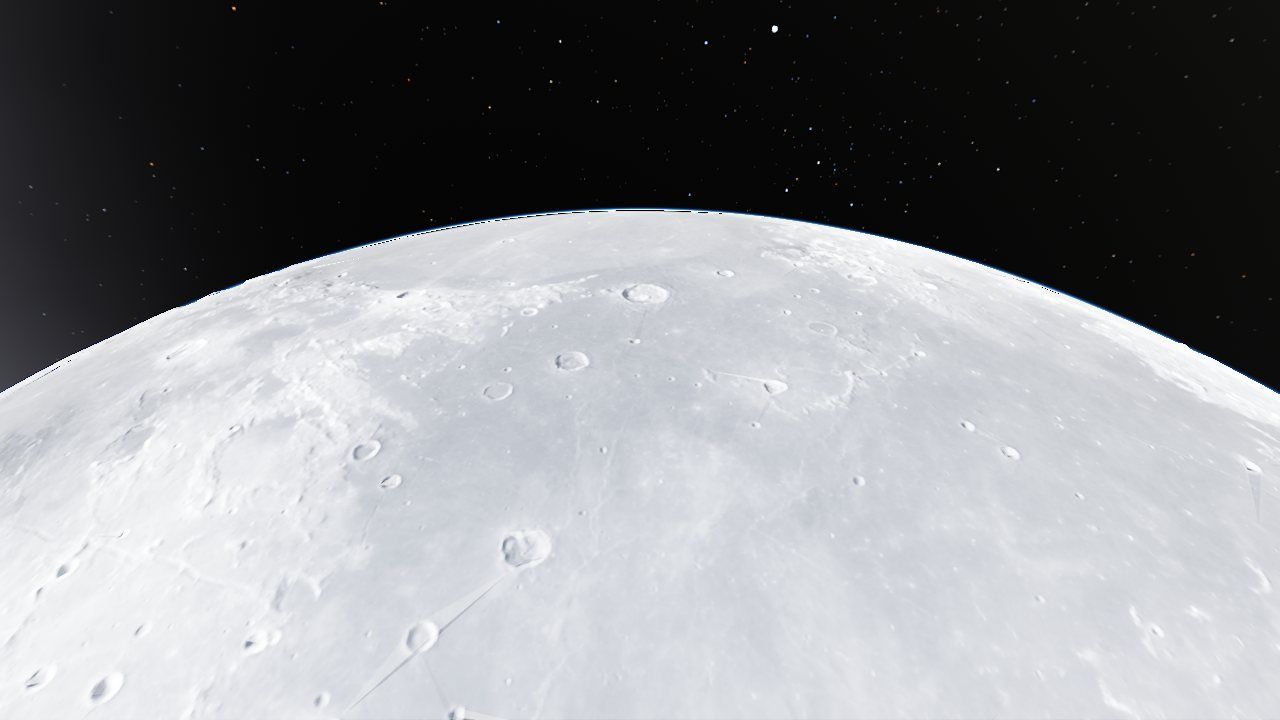 The Moon from 300 km: now the active body, fully streamed
There is a trade-off: a far body is a lit ball, not its detailed data. Its real tiles only stream once it becomes the active body. In practice the switch happens while you're still far away and moving fast, and the sphere is pixel-for-pixel where the tiles will appear.
Twelve seconds to the Moon
The rocket button cycles Earth → Moon → Mars → Earth, picking a random bookmarked place on the destination. The flight itself is simple. It's a straight line through universe space, eased with a smootherstep curve, with the camera looking along its path:
The interesting parts are around the line:
- Immune to re-anchoring. At up to 100,000 km/s (Earth to Mars) the floating origin jumps every frame. The flight is computed in universe ECEF, with 64-bit start and end points, and converted to the current world frame only to place the camera, so the jumps can't accumulate error.
- A moving target. For the Moon the end point is recomputed every frame from its current orbital position.
- A straight line is safe. Earth is only ever reached from another body, so the chord never passes through a planet.
- The hand-off. On arrival, the program builds a new frame at the destination and starts streaming its tiles. Until the first tiles arrive the destination isn't "live" yet, so the previous body stays active and the destination is still drawn as an analytic sphere, exactly where its tiles will appear. The gap is invisible.
- Level horizon on arrival. The flight writes yaw and pitch in the normal +Y-up convention, but the camera's tilted up vector was still frozen at the departure body's radial, and in deep space the up-lock is zero so it never corrected itself. Arrivals came out with a rolled horizon. Resetting up to +Y at arrival fixed it.
A Moon that orbits, and stops when you land
By default the Moon orbits Earth once every 30 minutes: a game timescale, so you can watch it move. Re-baking its tiles every frame as it moves would be far too slow. Instead the tiles are baked once at a reference position, and each frame:
- every Moon draw gets a world translation equal to the orbit's offset from that reference;
- tile selection uses the camera position shifted the opposite way, so screen-space error is measured as if the Moon hadn't moved;
- the frustum's culling planes are shifted to match (d′ = d + n·shift). Without that last step the culling test was misaligned and cut the Moon into wedges.
The orbit must freeze when you stand on the Moon, or the ground would slide out from under you. It stops when the place is lunar, when the Moon is the active body, or when you're simply closer to the Moon's surface than Earth's. The first condition closes a subtle window: right after arriving, before the Moon's tiles stream, the active body is still Earth, and in those few seconds the orbit carried the surface about 100 km away. The "Earthrise" bookmark was spawning the camera 114 km off the ground until that was fixed. Once frozen with more than 50 km of accumulated offset, the Moon is re-baked once at its new position, so the vertices aren't left carrying a large shift into 32-bit floats.
A few more Moon-specific touches:
- Earthrise places you so Earth sits about 18° above the horizon: the direction toward Earth, rotated 72° about a surface tangent.
- From far away the Moon reads as a bright ball because its albedo texture doubles as an emissive map, ramped from 0.22 near the surface to 6.0 at 80,000 km. That stands in for the ambient light an atmosphere would provide, and the ramp only gets strong far beyond approach range, so crater shading isn't flattened as you descend.
- In space, a lunar eclipse is modeled on the key light: when the Moon is behind Earth relative to the sun, the light dims by up to 92% and turns a coppery red.
Four bugs between us and a butterscotch sky
Mars was added by generalizing the Moon's code from one extra body to N. The rendering worked on the first try in a narrow sense; the details took four more fixes, each caught by looking at the result:
- Mars isn't round. The first version used a sphere of the equatorial radius. Mars, like Earth, is flattened: 3,396,190 m at the equator and 3,376,200 m at the poles. The painted globe, the horizon and the clipping planes sat up to 2 km above the real terrain, so the tiles drew but were hidden, visible only in a band of altitudes. Using the true ellipsoid (radius at latitude A·C / √(C² cos²φ + A² sin²φ)) fixed it.
- A 5 km leash.
Tileset3Dhas a default maximum draw distance of 5 km, sized for dense OSM building sprawl. On Mars it cut the terrain off at a sharp edge a few km away, leaving a sky-colored gap below the horizon. Planetary terrain now draws to infinity. The Moon needed the same fix, where the gaps had let Earth show through the lunar hills. - Underground air. Jezero's floor is below the datum, so the camera was "inside the planet" to the atmosphere math (the ground-radius clamp in Part IV came from here).
- White-out. Even a weak haze washed the surface to white at grazing angles, because the opacity cap limits extinction but not the additive in-scatter. On a world with 1% of Earth's air pressure, aerial perspective just doesn't belong, so for Mars it is switched off entirely while the sky dome keeps its color.
The color itself comes from swapping the Rayleigh coefficients live: βR = (21, 12, 6) × 10⁻⁶ per meter, reversed from Earth's so red scatters most, with a 9 × 10⁻⁶ Mie term and an 80 km shell. That gives the butterscotch dome. It's a stylization: Mars's real sky color comes from suspended dust rather than gas. A side effect is that the low Martian sun loses red first and turns bluish-white, loosely echoing real Martian blue sunsets, though for a different reason. Sunlight is tinted (1, 0.93, 0.84) at 0.78× strength. All of it is set through the same live uniform overrides as Earth's defaults, which are re-applied every frame, so leaving Mars restores a blue sky.
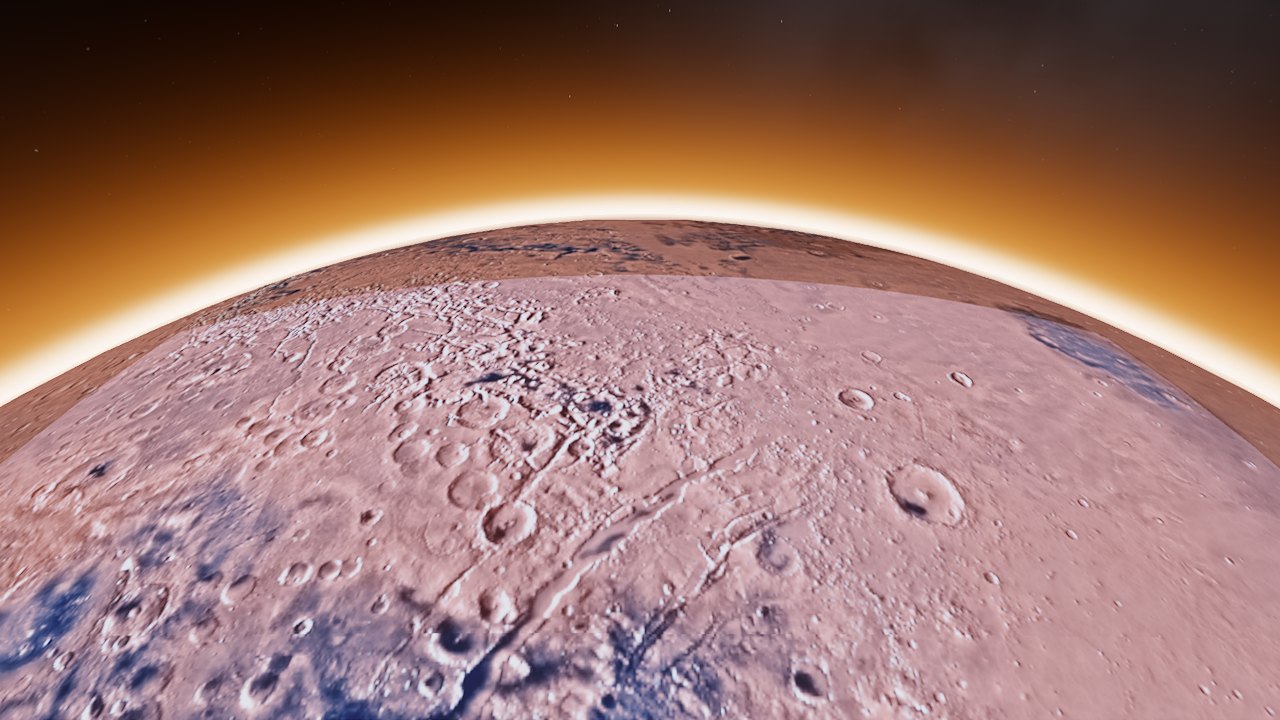 Mars from 600 km
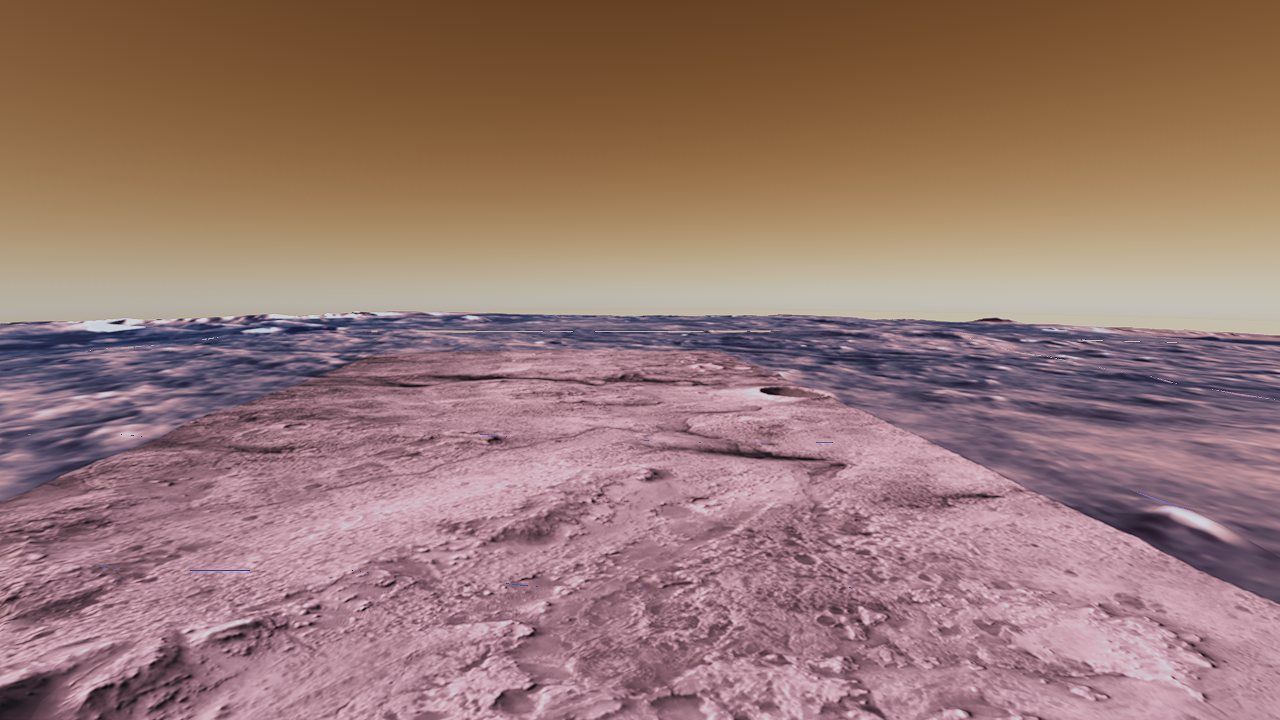 Jezero crater, with Perseverance's landing site under the butterscotch sky
The limb glow in the orbital view takes its tint from the body's own Rayleigh coefficients (normalized to the strongest channel), so Earth's rim is blue and Mars's is rust without a per-body color table. The painted globe that fills gaps between streamed tiles follows the same rule: only Earth gets the procedural continents and oceans; Mars shows its flat rust albedo there.
Where the milliseconds went
At 144 Hz a frame has 6.9 ms, shared by the CPU (JavaScript deciding what to draw) and the GPU (drawing it). Planet Explorer reached its current speed through two dedicated passes of profiling, in July and October 2026. This part goes through what was measured, what changed, and how much each change bought.
Numbers you can trust
Two of the most useful lessons came from measuring wrongly first:
- Inspection tools change what they measure. Profiling with a WebGPU debugging tool attached once showed this sample at half its frame rate. Measured properly, the tool itself adds about 0.1 ms per frame; the slowdown was one optional setting (recording where every GPU object was created) that captured a stack trace on every one of the ~3,500 bind-group calls per frame, at about 5 µs each. The tool has since been fixed to capture those only for creations. All the numbers here come from a plain Chrome launched by an automation script, with the engine's own timestamp profiler.
- "FPS" can mean two things. The engine schedules its next frame only after the current one finishes, so its internal frame-time counter isn't the browser's display rate. Frames actually completed per second were counted directly.
The profiler (src/renderer/gpu_profiler.ts) asks the GPU to write a timestamp
at the start and end of every render-graph pass, then reads them back a few frames later
and smooths them. It costs nothing when disabled. Chrome rounds GPU timestamps to 100 µs
unless developer features are enabled, so the smoothing matters. A debugging hook,
window.__planet, exposes the engine, the profiler and the main features, so a
script can switch settings and read timings with no UI involved.
| When | Setup | Frame rate | GPU per frame |
|---|---|---|---|
| July, before | New York, fully loaded, 8 shadow levels | ≈ 46 fps | 20–24 ms |
| July, after | same, 6 shadow levels + batching | ≈ 87 fps | ≈ 13 ms |
| October, before | 1889×1100, pixel error 20 | 110–122 fps | 5.5–6.3 ms |
| October, after | 1889×1100, pixel error 12 | 140–144 fps | ≈ 5.4 ms |
| this guide | 1280×720, default settings | 144 fps (display cap) | 3.44 ms |
The October "after" uses a finer pixel error (12 instead of 20), so it draws more and sharper tiles in about the same GPU time; at the old setting, GPU time fell to 4.3–5.5 ms.
Six hundred draws for the price of one upload
Each frame the geometry pass draws around 600 tiles. Naively, every draw needs its own model matrix uploaded and its own set of GPU commands recorded. Two changes made that close to free:
- One buffer, many offsets. All per-draw data (model matrix,
normal matrix, fade, debug tint) is packed into one big array and uploaded with a
single
writeBufferper frame. Each draw selects its slot with a dynamic offset into the shared bind group, so no per-draw buffers or bind groups are created. - Record once, replay every frame. WebGPU render bundles are pre-recorded command lists. The geometry pass keeps a signature of everything a draw's commands depend on (pipeline, material, buffers, index count, cull mode) and re-records the bundle only when that signature changes. Matrices aren't part of it, because they live in the dynamic-offset buffer that's re-uploaded every frame anyway. After this the 600 draws disappeared from the CPU profile.
if (this.useRenderBundle) {
  enc.executeBundles([this._perDrawBundle(useCull)]);   // re-recorded only when the draw list's signature changes
} else {
  enc.setBindGroup(0, this._cameraBindGroup);
  this._recordPerDraw(enc, useCull);
}
// executeBundles resets the encoder state; later draws need the camera at 0 again.
enc.setBindGroup(0, this._cameraBindGroup);
The shadow pass had the same problem, worse. Every caster's matrix was uploaded separately,
and then again for every shadow level: 1,204 writeBuffer calls
per frame. Matrices don't depend on the level, and the levels render one after another, so they
are now packed and uploaded once, on the first level: about 40 calls. That
improvement applies to every shadowed sample in the engine. The roughly 500 caster draws per
level then got the same bundle treatment as the geometry pass: each clipmap level keeps a
signature of its culled caster set (which casters, in which order, which buffers) and
replays a recorded bundle until that set changes. The inner, camera-centered levels
re-record often as you fly; the outer levels replay for many frames in a row.
Smaller CPU work rounds it out: tile draw items come from object pools, so a steady scene allocates nothing per frame (garbage collection pauses were showing up as hitches), and the per-tile origin shift uses an allocation-free matrix helper.
Every fix, with its receipt
| Change | Before | After | Why it was safe |
|---|---|---|---|
| Don't await the frame error scope | 110 fps | 140 fps | errors are still reported, a frame later |
| Clipmap shadow levels 8 → 6 | ~1,160 shadow draws, ~46 fps | ~170 draws, ~87 fps | the 4–16 km band was already lost in haze |
| Batch shadow matrix uploads | 1,204 writeBuffer | ~40 | matrices are the same for every level |
| Sky probe re-bake throttle | every animated frame | ~4% of frames | probe light is soft; the sun highlight is analytic |
| Cache the skylight table | 0.5–1.2 ms | ~0 when static | re-baked whenever inputs move beyond tolerance |
| Cloud reprojection fast path | 0.8–1.0 ms | 0.05 ms | four equal taps give the same answer anyway |
| Geometry render bundle | 600 draws recorded | replayed | re-recorded whenever the signature changes |
| Satellite propagation (below) | 13 ms spikes, 4×/s | 0.5–1.1 ms steady | off-screen objects still refresh every 2 s |
| Pixel error 1× → 3× with altitude | constant budget | fewer tiles from high up | from 30 km, each tile covers many more pixels |
| 16× anisotropic filtering | blurry streets at grazing angles | sharp | a quality fix with negligible cost |
| GPU occlusion culling (tried) | 0.93 ms | 0.98 ms | dropped: no gain in this view |
| Atmosphere skips geometry pixels | sky math on every pixel | sky pixels only | the lighting pass overwrites every geometry pixel anyway |
| Shadow caster render bundles | ~500 draws recorded per level | replayed | re-recorded only when a level's culled caster set changes |
| Slim G-buffer for tiles | 6 targets written | 3 | photoreal tiles never emit light or use material extensions |
Some fixes improved the look as well as the speed. The haze investigation in Part IV came out of the October pass, and so did auto exposure and the sharpening filter. Exposure is now driven by a 64-bin luminance histogram (ignoring the darkest 5% and brightest 2% of pixels, adapting smoothly), which costs 0.1 ms. The sharpen is a contrast-adaptive unsharp mask applied after the ACES tone curve, at 0.09 ms. The manual exposure was lowered from 1.0 to 0.85 because sunlit facades were clipping to white.
A follow-up pass closed the gaps the first draft of this guide had listed. The god-ray march now picks its shadow level by box containment, so buildings cast light shafts in the default clipmap mode, and its cloud shadows are baked from the same Beer shadow map the visible clouds use instead of an older density field. Screen-space contact shadows add the fine occlusion under building bases that the clipmap texels can't resolve. The catalog stars turn with the clock and sit at the right altitude for your latitude (Part V), Mars gets a rust limb and rust gaps instead of Earth's (Part VI), the lunar-eclipse test and the Mars readout use the right coordinate frames, and photoreal coasts get water (Part III).
Sixteen thousand satellites, one millisecond
The satellite layer places every object in a public catalog snapshot (15,995 objects: 10,741 Starlink, 23 stations and 5,231 others) using SGP4, the standard orbital model for published satellite elements. Turning it on used to tank the frame rate even with no satellite in view: four times a second it re-propagated all 16,000 orbits and re-packed every one for the GPU, a 13 ms hitch each time, with no culling at all.
The fix is a two-tier scheme. A rolling slice of 1/120 of the catalog is updated each frame, so every object is at most about 2 seconds stale. Separately, only the objects actually in view are re-propagated every frame. "In view" needed some care:
- The camera frustum is converted from world space to ECEF once per frame, so 16,000 positions don't each need converting.
- The far plane must be dropped. The camera's far plane hugs the horizon, about 200 km away at ground level, but satellites orbit 400–35,000 km out and are drawn as sprites beyond it. Culling against the far plane rejected the entire shell, which was the whole reason the layer first "didn't work".
- With the far plane gone, the view cone goes on forever and sweeps in everything behind the planet, so an Earth-limb test is needed: does the segment from the camera to the satellite pass within 6,350 km of Earth's center?
When nothing is in view, the packing step is skipped entirely. The result is about 0.5 ms looking away and 1.1 ms looking at the shell, with no spikes. The International Space Station is drawn as a 325,000-vertex 3D model (scaled up 40× so you can find it) whenever you're within 3,000 km, and every catalog object within 10 km of it (docked capsules, for instance) is hidden from the point layer.
Credits & references
Data
Earth: Google Photorealistic 3D Tiles; Cesium World Terrain; Cesium OSM Buildings (OpenStreetMap contributors); Esri World Imagery (Esri, Maxar, Earthstar Geographics and the GIS User Community). Moon and Mars: Cesium ion assets built from NASA, USGS and ESA data (Mars: MOLA and HRSC elevation, Viking color mosaic). Stars: the Yale Bright Star Catalog, 5th revised edition. Satellites: CelesTrak general perturbations elements. Sea-surface temperature: NOAA OISST v2.1. Earth texture for the distant-body sphere: a NASA Blue Marble image.
Papers, specifications and articles
- Open Geospatial Consortium. 3D Tiles Specification, versions 1.0 and 1.1. Tile trees, bounding volumes, geometric error, refinement, implicit tiling.
- Cesium. quantized-mesh-1.0 terrain format specification. Zig-zag delta vertices, high-water-mark indices, extensions.
- National Imagery and Mapping Agency. Department of Defense World Geodetic System 1984, TR8350.2. The WGS84 ellipsoid.
- B. R. Bowring. “Transformation from spatial to geographical coordinates.” Survey Review 23(181), 1976.
- T. Nishita, T. Sirai, K. Tadamura, E. Nakamae. “Display of the Earth Taking into Account Atmospheric Scattering.” SIGGRAPH 1993. The single-scattering sky model.
- E. Bruneton, F. Neyret. “Precomputed Atmospheric Scattering.” Computer Graphics Forum 27(4), 2008.
- S. Hillaire. “A Scalable and Production Ready Sky and Atmosphere Rendering Technique.” Computer Graphics Forum 39(4), 2020. Sky-view and aerial-perspective lookup tables, the multiple-scattering LUT.
- W. M. Cornette, J. G. Shanks. “Physically reasonable analytic expression for the single-scattering phase function.” Applied Optics 31(16), 1992.
- L. G. Henyey, J. L. Greenstein. “Diffuse radiation in the Galaxy.” Astrophysical Journal 93, 1941.
- J. Jendersie, E. d'Eon. “An Approximate Mie Scattering Function for Fog and Cloud Rendering.” SIGGRAPH 2023 Talks.
- A. Schneider, N. Vos. “The Real-time Volumetric Cloudscapes of Horizon: Zero Dawn.” SIGGRAPH 2015, Advances in Real-Time Rendering. Perlin–Worley noise, the coverage remap, powder.
- M. Wrenninge, C. Kulla, V. Lundqvist. “Oz: The Great and Volumetric.” SIGGRAPH 2013 Talks. The multiple-scattering octave approximation.
- M. Salvi. “An Excursion in Temporal Supersampling.” GDC 2016. Variance clipping of history.
- M. Oren, S. K. Nayar. “Generalization of Lambert's Reflectance Model.” SIGGRAPH 1994.
- D. A. Vallado, P. Crawford, R. Hujsak, T. S. Kelso. “Revisiting Spacetrack Report #3.” AIAA 2006-6753. SGP4.
- D. Hoffleit, W. H. Warren Jr. The Bright Star Catalogue, 5th revised ed., 1991.
- T. Helland. “How to Convert Temperature (K) to RGB.” 2012.
- K. Narkowicz. “ACES Filmic Tone Mapping Curve.” 2016.
- N. Reed. “Depth Precision Visualized.” 2015. Why reversed-Z with floating-point depth works.